
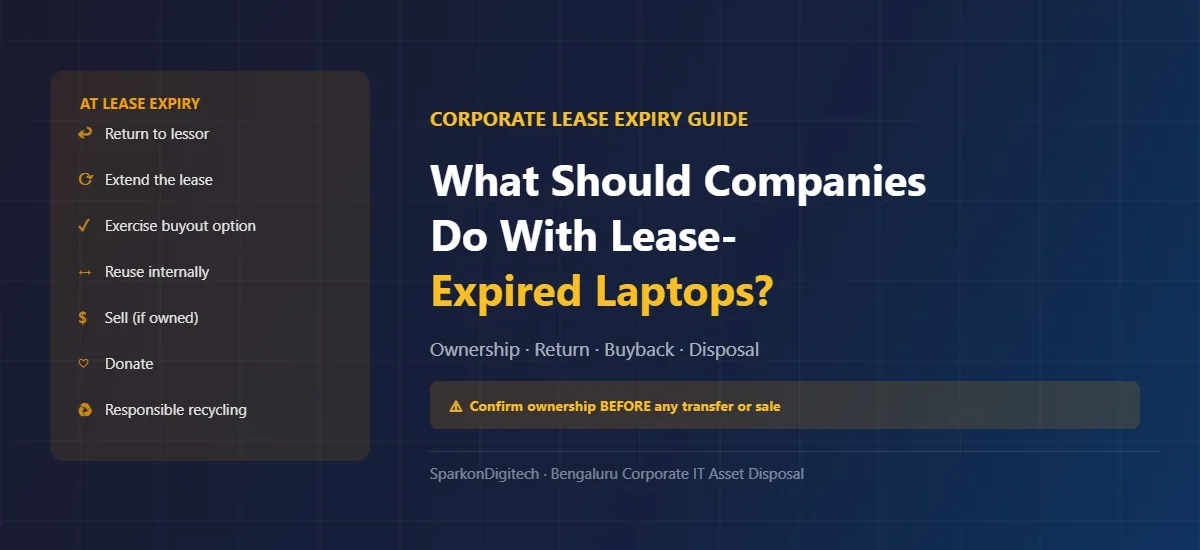
What Should Companies Do With Lease-Expired Laptops? A Corporate Disposal Guide
When a corporate laptop lease expires, the company does not automatically become the owner of the equipment. The lease reaching its end date triggers a set of contractual obligations and options that must be reviewed before the company decides what to do with the devices — whether that is returning them to the lessor, extending the lease, exercising a purchase option, reusing them internally, or arranging a responsible disposal or buyback.
The first step is not requesting a buyback quote. The first step is confirming who legally owns the laptops and what the lease agreement permits. Only after ownership or disposal rights are clearly established should the company proceed with any transfer, sale, or disposal of the equipment.
This guide is written for corporate IT managers, procurement leads, finance teams, and admin functions who need to understand what to do when their company’s laptop lease expires. SparkonDigitech is an IT solutions company based in Bengaluru that can discuss corporate laptop evaluation and buyback requirements after ownership and disposal rights have been confirmed. Contact us at +91 98451 41787 or sales@sparkondigitech.com.
The correct path depends on the lease agreement. In general:
- Review the lease agreement — identify ownership terms, return obligations, and purchase options
- Confirm ownership — a lease reaching its end date does not automatically transfer ownership to the company
- Choose the appropriate route: return to lessor, extend the lease, exercise a buyout option, reuse internally, sell (if the company owns the equipment), donate, or arrange responsible recycling
- Address data security regardless of which route is chosen
- Complete documentation — asset handover, serial numbers, and required records
Companies should confirm their contractual and ownership rights with the lessor, finance team, or legal adviser before transferring or selling any leased equipment.
What Does “Lease-Expired Laptop” Mean?
A lease-expired laptop is a device that was procured under a leasing arrangement — typically an operating lease or finance lease — where the agreed lease term has now ended. In corporate environments, laptop leases commonly run for two to four years.
Key terms to understand:
- Lease term ended: The agreed contractual period has passed. This does not automatically determine what happens to the device next.
- Lease return obligation: Many leases require the equipment to be returned to the lessor in a specified condition. Failing to return on time may trigger continued charges.
- Purchase / buyout option: Some leases include a provision allowing the lessee to purchase the equipment at the end of the term at a pre-agreed or fair-market price. This is a contractual right, not an automatic transfer.
- Ownership transfer: Occurs when the company has formally exercised a purchase option or the contract specifies title passes under defined conditions. Requires documentation.
- Lease extension: An agreement to continue using the equipment beyond the original end date under the same or revised terms.
- Residual value: The estimated value of the equipment at the end of the lease term, which typically informs the buyout price under a purchase option.
The critical distinction: “Lease expired” and “company-owned” are not the same thing. The company must confirm through its lease documentation whether it has the right to sell, transfer, or otherwise dispose of the devices as its own assets.
What Are the Options When a Laptop Lease Expires?
The appropriate option depends on the lease agreement, the condition of the equipment, and the company’s current needs.
| Option | When It May Make Sense | What to Check First |
|---|---|---|
| Return to lessor | Contract requires return; company does not need the equipment | Return instructions, condition standards, return deadline |
| Extend the lease | Equipment is still suitable; no immediate replacement planned | Extension terms, revised pricing, support obligations |
| Exercise purchase / buyout option | Contract includes a purchase option; equipment has ongoing value | Buyout price, ownership transfer documentation, finance approval |
| Internal reuse / redeployment | Devices remain functional and suitable for lower-demand roles | Security/software compatibility, IT deprovisioning requirements |
| Sell (after ownership confirmed) | Company legally owns the equipment and it retains market value | Ownership documentation, disposal approval, data security |
| Donate | Suitable for CSR or educational reuse; company owns the devices | Data security obligations, ownership, tax/charitable requirements |
| Responsible recycling / disposal | Equipment has no viable reuse or sale value | Certified e-waste route, data destruction, documentation |
Can a Company Sell Lease-Expired Laptops?
Potentially yes — but only after confirming that the company has ownership or contractual rights to sell the equipment. This is one of the most important questions to resolve before approaching any buyer.
Scenario 1: Company owns the laptops after exercising a purchase option
If the lease agreement included a purchase option and the company has formally exercised it — with appropriate payment made and ownership transfer documented — the company is the legal owner and may potentially sell the equipment as a company-owned asset. The company should retain the purchase documentation as the basis for any subsequent disposal.
Scenario 2: Lessor still owns the equipment
If the lease has expired but the company has not exercised a purchase option (or no such option exists), the lessor typically retains ownership. The company should not sell the equipment as its own asset in this situation. The appropriate action is to contact the lessor for return instructions or to discuss buyout terms if permitted.
Scenario 3: Contract allows title transfer after lease expiry under defined conditions
Some lease structures — particularly certain finance leases — may specify that title passes to the lessee under defined conditions at the end of the term. The company should review the specific contractual terms carefully and confirm with the lessor or its finance and legal team whether this applies.
Scenario 4: Ownership documentation is unclear or incomplete
If the company is uncertain about ownership status — records are incomplete, the original lessor has changed, or the lease terms are ambiguous — this should be resolved with the finance team, legal adviser, or the lessor directly before any sale or transfer takes place.
Companies should confirm their contractual and ownership rights with the lessor, finance team, or legal adviser before transferring or selling leased equipment. This guide does not constitute legal advice.
Lease Return vs Laptop Buyback: Key Differences
| Factor | Return to Lessor | Buyback / Sale (company-owned) |
|---|---|---|
| Ownership basis | Lessor owns the equipment; return fulfils lease obligation | Company must have confirmed ownership or disposal rights |
| Primary objective | Fulfil contractual return obligation | Recover residual commercial value |
| Valuation | Return condition standards set by lessor; may involve damage charges | Market and condition-based; buyer evaluates specification and condition |
| Condition standards | Lessor may specify return condition and acceptable wear | Buyer evaluates actual condition and adjusts offer accordingly |
| Data security | Company’s responsibility regardless of return route | Company’s responsibility regardless of sale route |
| Documentation | Lease return record, serial numbers, lessor receipt | Handover list, GST invoice, data sanitisation records |
| Logistics | Follow lessor’s return instructions | Coordinate with buyer; may include on-site collection |
| Cash outcome | None (return obligation); possible damage charges | Payment for equipment where applicable |
How to Check Whether Your Company Can Sell the Laptops
Before contacting any buyer, work through the following sequence to confirm the company’s position:
- Locate the original lease agreement. The signed lease document — and any amendments — is the primary reference for ownership terms, return obligations, and purchase options.
- Identify the lessor. Confirm who the lessor is and their current contact details. In some cases the original lessor may have assigned the lease to another entity.
- Check the lease end date. Confirm whether the lease has formally expired or is in a holdover or extension period, and what obligations apply in the current state.
- Review the ownership and title clause. Identify exactly what the contract says about who owns the equipment at the end of the lease term.
- Check for a purchase or buyout option. Note whether an option exists, what triggers it, what the buyout price or mechanism is, and whether the option has been exercised.
- Review the residual or buyout amount. If a buyout option exists and has not yet been exercised, confirm the applicable amount and payment process.
- Review return requirements. Note any return deadlines, condition requirements, collection arrangements, or penalties for late return specified by the lessor.
- Check the asset schedule. Identify the specific devices covered by the lease by serial number or asset ID, matching them to the physical devices on hand.
- Confirm serial numbers for all devices. Match the lease asset schedule to actual devices to identify any discrepancies — devices that have been lost, damaged, or are not present.
- Review finance and procurement records. Confirm whether the purchase option has been previously exercised and what payments have been made.
- Obtain internal approval. Any decision about lease-expired equipment — return, extension, buyout, or disposal — should be approved by the relevant internal authority: IT head, finance, procurement, and management as applicable.
- Confirm disposal rights in writing where possible. For clarity and audit purposes, confirm the disposal route with the lessor in writing before any transfer takes place.
- Only then request a valuation. Once ownership or disposal rights are confirmed and documented, the company can approach a buyer with an asset list for evaluation.
What Information Should Companies Prepare?
Once ownership is confirmed, a complete asset list enables a buyer to conduct an efficient initial evaluation. For larger fleets, an on-site inspection will typically follow before a final commercial offer.
| Information | Example / Notes |
|---|---|
| Brand | Lenovo / Dell / HP |
| Model | ThinkPad E14 / Latitude 5420 / EliteBook 840 |
| Quantity | 50 total (working / repair-required / non-working breakdown) |
| Processor | Intel Core i5 / i7 / AMD Ryzen 5 |
| Processor generation | 10th Gen / 12th Gen / Ryzen 5000 series |
| RAM | 8GB / 16GB / 32GB |
| Storage | 256GB SSD / 512GB SSD / 1TB SSD |
| Condition | Good / Fair / Repair required / Non-working |
| Working status | Working / Does not power on / Boots with issues |
| Serial number | Asset-level record matching the lease asset schedule |
| Charger | Available / Missing |
| Ownership / lease status | Purchase option exercised / Ownership confirmed |
| Location | Bengaluru — area and premises |
Do not submit an asset list to a buyer until ownership has been confirmed. Providing inaccurate ownership information to a buyer creates legal and commercial risk for the company.
How Is a Lease-Expired Laptop Valued?
Once ownership is confirmed, the valuation of a lease-expired laptop follows the same methodology as any used corporate device. Age alone does not determine value — a lease-expired laptop from a major business brand in good working condition with a current-generation processor can retain meaningful secondary-market value.
The key valuation factors are: exact model and product family, processor generation, RAM capacity, storage type and capacity, display condition, battery health, physical condition, working status, quantity, accessories (particularly charger), and current secondary-market demand for that model and generation.
For a comprehensive explanation of how each factor affects value and how a buyer calculates a fleet-level offer, see our guide on used corporate laptop valuation. An important consideration for lease-expired devices: the typical three-to-four-year lease term means these devices are often mid-curve in terms of depreciation. Acting promptly after ownership is confirmed generally preserves more value than allowing further time to pass.
What Happens to Damaged or Non-Working Lease-Expired Laptops?
After ownership or disposal rights are established, companies can ask a buyer to separately evaluate damaged or non-working devices. These should not be automatically discarded or mixed into the working lot without appropriate labelling.
Damaged or non-working devices from popular business models may retain value through:
- Repair value — where a fault is economically repairable, the device may enter a refurbishment path
- Parts recovery value — recoverable components including RAM, SSD, display panels, keyboards, batteries, and Wi-Fi cards may have secondary-market demand from popular corporate models
- Recycling route — where no viable reuse or parts value exists, responsible e-waste disposal is the appropriate outcome; see our guide to e-waste management in Bangalore
Common fault types in lease-expired devices to note in the asset list: cracked or broken displays, no-power / fails to boot, swollen or failed battery, broken hinges, keyboard damage, port damage, and liquid damage history. Do not assume every non-working device has monetary value — this depends on the specific fault, the model, and the buyer’s capabilities.
Data Security Before Returning or Selling Lease-Expired Laptops
Data security is the company’s responsibility regardless of what happens to the device next — whether it is returned to the lessor, sold, donated, or recycled. Corporate data on the device must be handled according to the company’s approved IT security policy before any handover.
The IT team should complete the following before any device leaves company control:
- Identify all devices — confirm against the asset schedule and serial-number records
- Back up required business data — ensure data that must be retained is archived before the device is processed
- Remove corporate accounts — sign out of Microsoft 365, Google Workspace, and other corporate services
- Remove MDM enrolment — unenrol devices from Microsoft Intune, JAMF, or similar management systems
- Clear BIOS/UEFI passwords — BIOS passwords prevent the receiving party from configuring the device
- Follow the company’s approved sanitisation process — the specific method depends on drive type and data-governance requirements; a Windows factory reset is not an approved data-sanitisation method for corporate devices under most IT security policies
- Document the process — retain records of what was done, to which devices by serial number, and when
- Confirm the receiving party’s data-handling requirements — if the lessor or buyer handles further data processing, confirm their process before handover
For a complete IT deprovisioning guide including MDM removal, BIOS password clearing, and corporate account removal, see our company laptop buyback checklist.
Lease-Expired Laptop Disposal Process for Companies
The following structured workflow covers the full process from lease review to final documentation:
- Lease review: Review the lease agreement — end date, ownership terms, purchase option, return obligations, asset schedule.
- Ownership verification: Confirm who legally owns the equipment. Involve finance, legal, and the lessor as required. Document the conclusion.
- Asset inventory: Compile the device-level asset list — serial numbers, brand, model, specifications, working status, and condition for each device.
- Condition assessment: Classify devices by working status and condition. Separate working, repair-required, and non-working units.
- Data-security process: Complete IT deprovisioning and data sanitisation according to the company’s approved policy. Retain records.
- Choose disposal route: Based on ownership status and device condition — return to lessor / extend lease / exercise buyout / reuse internally / sell (if owned) / donate / recycle.
- Commercial evaluation (if applicable): For owned devices being sold, share the asset list with the buyer for initial evaluation. Arrange on-site inspection for larger fleets.
- Internal approval: Obtain written approval from IT head, finance, procurement, and management as required by company policy.
- Handover: Physical handover of devices with signed serial-number handover list. Both parties retain a copy.
- Documentation: Retain all records — asset list, ownership confirmation, data sanitisation records, handover receipt, commercial invoice, and any e-waste or data destruction certificates.
Illustrative Example: Company With 100 Lease-Expired Laptops
The following is an illustrative example. It is not a SparkonDigitech quotation and does not represent a specific commercial outcome.
Situation: A company has 100 business laptops — Lenovo ThinkPad, Dell Latitude, and HP EliteBook units — whose three-year operating lease has expired. Mixed 10th and 12th Gen Intel processors; 8GB and 16GB RAM; 256GB/512GB SSDs. Of the 100 units: 75 working in good or fair condition, 15 requiring minor repair (battery or cosmetic issues), 10 non-working.
- Review the lease agreements. The company finds two lease batches: 60 units on an operating lease with no purchase option — these must be returned. 40 units on a finance lease whose buyout option was exercised and documented — these are company-owned.
- Confirm ownership. Finance confirms the 40 finance-lease devices are fully owned post-buyout. The 60 operating-lease devices are arranged for return per the lessor’s instructions.
- Build the asset list for the 40 owned devices with serial numbers, specifications, and condition classification.
- Separate conditions within the 40 owned devices: 28 working good condition, 8 repair-required, 4 non-working. Listed separately with condition notes.
- Complete the data-security process for all 100 devices — both those being returned and those being sold — per the company’s approved IT policy.
- Request valuation for the 40 owned devices from a corporate buyer, sharing the asset list. The buyer arranges an on-site inspection for this fleet size.
- Non-working and repair-required devices are presented separately for evaluation — some may have parts value; others are routed to e-waste.
- Complete documentation for both the return (to lessor) and the sale (to buyer): handover lists, sanitisation records, and commercial documentation for the owned devices.
This is an illustrative example — not a quotation. Actual outcomes depend on specific lease terms, device condition, and current market conditions.
Common Mistakes With Lease-Expired Laptops
- Assuming lease expiry automatically means the company owns the equipment. The lease agreement — not the calendar — determines ownership.
- Selling or transferring devices before confirming ownership. Selling equipment the company does not legally own creates serious legal and financial risk.
- Losing serial-number records. Without serial numbers matched to the lease asset schedule, the company cannot confirm which devices are covered by which lease terms.
- Returning devices without following the lessor’s specific return instructions. Non-compliance may trigger damage charges or delay the lease closure.
- Forgetting data-security obligations before return or disposal. Company data on returned or sold devices remains the company’s legal responsibility.
- Mixing leased and company-owned equipment in the same lot. If the company has both leased and owned devices, they must be identified and treated separately.
- Treating all models in the fleet as equivalent. Processor generation, RAM, storage, and condition vary between devices and affect value independently.
- Not separating damaged or non-working devices. A buyer evaluates condition-mixed lots conservatively. Separate labelling produces a more accurate evaluation.
- Waiting too long after ownership is confirmed. Residual value decreases as newer processor generations enter the secondary market.
- Not documenting the handover at the point of collection. A signed serial-number handover list is the definitive record; without it, disputes are very difficult to resolve.
- Not obtaining internal approval before any transfer. Asset disposal without documented approval creates audit and financial control issues.
- Comparing consumer-facing online prices with corporate fleet valuation. These are different markets. For why, see our used corporate laptop valuation guide.
How to Decide Between Return, Reuse, Buyback, and Recycling
Use the following framework to determine the appropriate route for each device or device group:
- Return to lessor — if the lease requires it, return the equipment per the lessor’s instructions. This is a contractual obligation, not an option.
- Extend the lease — if the equipment is still suitable for its current role and extension terms are available, this may be the simplest short-term path.
- Exercise buyout / purchase option — if the lease permits a buyout and the equipment has ongoing utility or resale value, this may justify the buyout cost.
- Internal reuse — where the company owns the devices and they remain functional, redeployment to lower-demand roles (reception, basic admin, training) can extend useful life without replacement cost.
- Corporate buyback / sale — where the company owns the equipment and it retains secondary-market value, a corporate buyback recovers value from otherwise idle assets. Contact a buyer with an asset list after ownership is confirmed. See our guide on selling company laptops in bulk for the process for larger fleets.
- Donation — where devices are functional and the company has charitable or CSR objectives, donation to an appropriate organisation may be suitable, subject to data security, ownership, and applicable requirements.
- Responsible recycling — where devices have no viable reuse or resale value, responsible e-waste disposal through a certified channel is the correct route.
Many companies will use more than one route — returning some devices to the lessor, selling others where owned, redeploying a subset internally, and routing non-working equipment to e-waste. The asset list and ownership-confirmation exercise will typically reveal which category each device falls into.
Have a Fleet of Lease-Expired or Surplus Company Laptops? Request an Evaluation
SparkonDigitech works with corporate IT and procurement teams in Bengaluru on laptop evaluation, buyback, and IT asset disposal. Once ownership and disposal rights have been confirmed, companies can contact us with an asset list to discuss next steps.
When reaching out, it helps to share: quantity, brand and model, processor generation, RAM, storage, condition, working status, ownership status confirmed, and pickup location in Bengaluru.
We will not provide a price before evaluation. Any commercial figure will be based on actual condition and configuration of the devices assessed.
Phone: +91 98451 41787 | Email: sales@sparkondigitech.com
696, 4th Main Rd, BEML Layout, 5th Stage, Rajarajeshwari Nagar, Bengaluru – 560098
Lease-Expired Laptop Disposal in Bangalore
Companies in Bengaluru managing lease-expired laptop fleets need a local point of contact who understands the documentation requirements of corporate IT asset transactions — GST-compliant invoicing, serial-number-level handover records, and data sanitisation documentation — and who can physically attend premises for assessment and collection.
Consumer-facing resale channels are not designed for structured corporate fleet disposal. National logistics arrangements for larger fleets add coordination overhead that a local Bengaluru-based buyer can reduce significantly.
SparkonDigitech is based at 696, 4th Main Rd, BEML Layout, 5th Stage, Rajarajeshwari Nagar, Bengaluru, Karnataka 560098. We work with companies across the city’s commercial and technology districts — including Whitefield, Electronic City, Koramangala, Indiranagar, Hebbal, and surrounding areas — on corporate laptop evaluation and IT asset disposal. Our capabilities include laptop spare parts and repair, which means non-working devices from popular corporate models can often be evaluated for parts or repair value rather than being automatically routed to e-waste.
For companies also looking to procure replacement devices as part of a fleet refresh, see our corporate laptop supply service. For planning your fleet replacement timing, see our corporate laptop refresh cycle guide.
How SparkonDigitech Can Help Companies With Lease-Expired Corporate Laptops
After a company has confirmed its ownership and disposal rights, SparkonDigitech can assist with:
- Corporate laptop evaluation — assessment of owned devices for resale or recovery value based on actual model, configuration, and condition
- Bulk fleet buyback — for fleets of used, surplus, or lease-expired company-owned laptops; see our guide on selling company laptops in bulk
- Mixed-condition evaluation — working, fair, repair-required, and non-working devices assessed together
- Non-working device assessment — devices from popular corporate models evaluated for parts or repair value where applicable
- Transaction documentation — GST-compliant invoicing and serial-number-level handover records
- Local Bengaluru collection — on-site assessment and collection from premises for qualifying fleet sizes
Share your asset details at +91 98451 41787 or sales@sparkondigitech.com. For details on the corporate laptop buyback service, visit the service page.
Frequently Asked Questions
Q: What happens when a corporate laptop lease expires?
When a corporate laptop lease expires, the company’s obligations and options depend on the specific lease agreement. Common outcomes include: a requirement to return the equipment to the lessor, the availability of a purchase or buyout option, a lease extension, or — where contractually permitted — a transfer of ownership. The company should review the lease agreement to determine which applies before taking any action.
Q: Does lease expiry mean the company owns the laptop?
No — not automatically. A lease reaching its end date does not transfer ownership to the company. Ownership is determined by the lease agreement: typically the lessor retains ownership unless a purchase option has been formally exercised or the contract specifies title transfer under defined conditions. Companies should confirm ownership with the lessor, finance team, or legal adviser.
Q: Can a company sell lease-expired laptops?
Potentially yes, but only after confirming the company legally owns the equipment or has contractual rights to sell it. If the company has exercised a purchase option and holds ownership documentation, the devices may be sold as company-owned assets. If the lessor still owns the equipment, the company should not sell it without resolving the ownership position first.
Q: What is a laptop lease buyout?
A laptop lease buyout (purchase option) is a contractual provision in some leases that allows the lessee to purchase the leased equipment at the end of the term — typically at a pre-agreed price or fair market value. Exercising the buyout requires payment and documentation of the ownership transfer. Not all leases include a buyout option.
Q: Should leased laptops be returned to the lessor at lease expiry?
If the lease agreement requires return of the equipment and no purchase option is being exercised, the company must return the devices per the lessor’s return instructions. Failure to return on time may trigger continued lease charges or damage penalties. Data security is the company’s responsibility before any return.
Q: Can lease-expired laptops be reused internally?
Where the company owns the devices following a buyout or ownership transfer, redeploying them internally to lower-demand roles is a valid option if they remain functional and software-compatible. Where the lessor still owns the equipment, internal use beyond the lease term typically requires an extension agreement with the lessor.
Q: How are lease-expired laptops valued?
Once ownership is confirmed, lease-expired laptops are valued on the same basis as other used corporate devices: exact model, processor generation, RAM, storage, physical condition, working status, battery health, quantity, accessories, and current secondary-market demand. For a detailed explanation, see our guide on used corporate laptop valuation.
Q: What documents should a company check before selling lease-expired laptops?
The key documents are: the original lease agreement and any amendments, the asset schedule identifying devices by serial number, purchase option or buyout documentation, payment records confirming any buyout, and internal asset registers. Finance and legal teams should confirm ownership status before any sale.
Q: Can a company sell 50 or 100 lease-expired laptops together?
Yes — subject to ownership being confirmed for each device. Once owned, a fleet of 50 or 100 company-owned laptops can be evaluated as a lot. The process typically involves sharing an asset list for an initial evaluation, followed by on-site inspection before a final offer. See our guide on selling company laptops in bulk.
Q: Can damaged lease-expired laptops be sold?
Potentially, subject to ownership confirmation. Damaged devices from popular corporate models may retain parts or repair value. Present them separately in the asset list with condition notes and allow the buyer to evaluate them. Do not mix damaged devices into the working lot without disclosure.
Q: Can non-working lease-expired laptops have value?
Sometimes yes. Non-working devices from common business models may have parts recovery value for components including RAM, SSD, display panels, keyboards, and batteries. Whether any specific non-working device has recovery value depends on the fault type, the model, and the buyer’s capabilities. Evaluation is required before any conclusion can be drawn.
Q: Should company data be erased before returning leased laptops?
Yes. Data security is the company’s responsibility regardless of what happens to the device — returned to the lessor, sold, donated, or recycled. Corporate devices should be processed per the company’s approved data-sanitisation policy before handover. A Windows factory reset is not sufficient for corporate devices under most IT security policies. See our company laptop buyback checklist for a full IT deprovisioning guide.
Q: What information should be included in a laptop asset list?
Brand, exact model, processor family and generation, RAM, storage type and capacity, working status, cosmetic condition, battery condition, charger availability, serial number matched to the lease asset schedule, ownership/lease status, and pickup location. For lease-expired devices, also note whether ownership has been confirmed and on what basis.
Q: What is the difference between lease return and laptop buyback?
A lease return fulfils the contractual obligation to return lessor-owned equipment. A laptop buyback is a commercial transaction in which a buyer purchases company-owned laptops for their residual market value. The first is a contractual obligation where the lessor retains ownership; the second requires the company to have confirmed ownership before approaching any buyer.
Q: Can companies sell lease-expired laptops in Bangalore?
Yes — subject to ownership confirmation. Companies in Bengaluru with confirmed-ownership lease-expired laptops can contact SparkonDigitech to discuss buyback evaluation. We work with IT and procurement teams across Bengaluru on corporate laptop evaluation and IT asset disposal.
Q: How can a company request a corporate laptop valuation?
Prepare a device-level asset list with brand, model, processor generation, RAM, storage, working status, condition, serial numbers, and ownership confirmation. Contact SparkonDigitech at +91 98451 41787 or sales@sparkondigitech.com. For larger fleets, an on-site inspection will typically follow before a final commercial offer.
Q: What should finance teams check before disposing of leased laptops?
Finance teams should confirm: the lease agreement status, whether a purchase option has been exercised and documented, buyout payment status, ownership confirmation, the fixed-asset register and accounting treatment of the devices, and internal disposal approval requirements. Any disposal should be reflected in the fixed-asset write-off process with appropriate documentation.
Q: Can SparkonDigitech evaluate lease-expired corporate laptops?
Yes — after ownership or disposal rights have been confirmed. SparkonDigitech can evaluate owned lease-expired laptops for buyback. Contact us at +91 98451 41787 or sales@sparkondigitech.com. 696, 4th Main Rd, BEML Layout, 5th Stage, Rajarajeshwari Nagar, Bengaluru – 560098.