
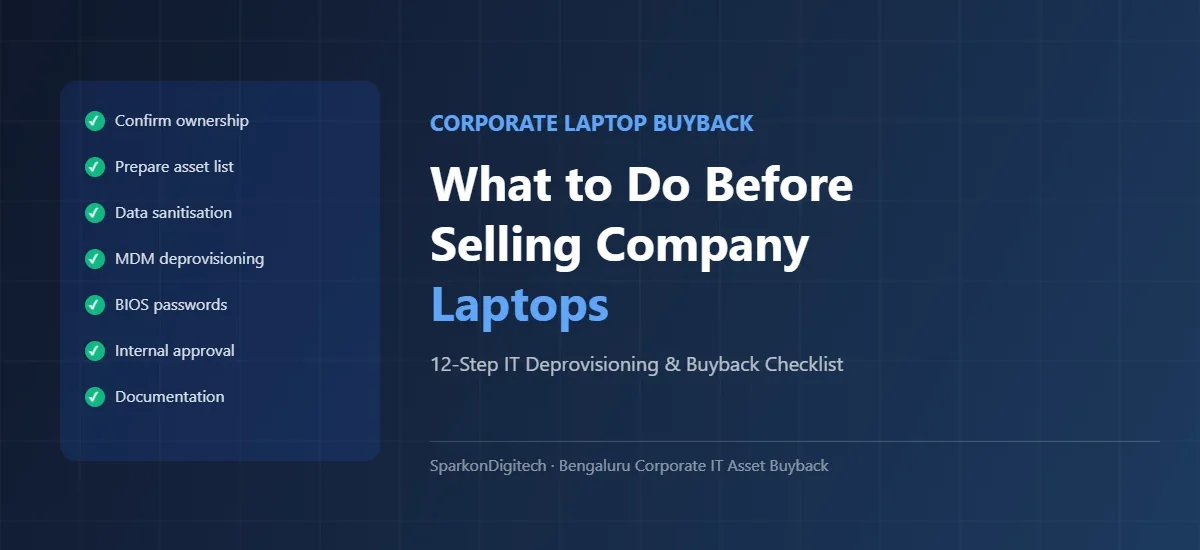
Before a single corporate laptop leaves your organisation’s control — whether you are retiring 20 devices or 500 — there is a specific set of steps your IT, procurement and finance teams should work through. This is not about the buyer’s process. It is about what happens inside your organisation before any handover takes place.
Getting this preparation right protects your company data, satisfies your finance and audit requirements, avoids legal complications with leased equipment, and enables a faster, more accurate evaluation from any corporate laptop buyer you approach. This guide covers exactly what to prepare, in order, with practical checklists your team can act on immediately.
SparkonDigitech is a Bengaluru-based IT solutions company that works with corporate IT and procurement teams on laptop buyback, IT asset disposal and related requirements. If your company has old, surplus or fleet-retired laptops to sell, contact us at +91 98451 41787 or sales@sparkondigitech.com to discuss your requirements.
- Verify ownership and lease status for every device
- Prepare the asset and serial-number list
- Record model and configuration details
- Classify devices: working / working with issues / requires repair / non-working
- Back up any required business information
- Follow the company’s approved data-sanitisation process
- Remove corporate accounts and management controls as appropriate
- Collect chargers and accessories with each device
- Record physical condition (screen, chassis, keyboard, battery)
- Obtain internal approval for disposal
- Prepare handover documentation
- Request evaluation from a qualified corporate laptop buyer
The exact process depends on your organisation’s IT security, asset management, legal and finance policies. The steps above are a general framework — adapt them to your company’s requirements.
Why Companies Should Prepare Before Selling Old Laptops
Selling one personal laptop requires almost no preparation. Selling 50 or 500 corporate laptops is a different kind of undertaking entirely — one that touches your data security obligations, your fixed-asset register, your lease agreements, your finance approval process, and your IT governance policies simultaneously.
Company data. Corporate laptops accumulate employee documents, email data, saved credentials, business application data, and cached files over their entire service life. A device that leaves your premises without proper data handling creates a compliance and security exposure that cannot be undone after the fact.
Asset ownership. Not every laptop in your IT room is unambiguously company property. Devices may be on operating leases, finance leases, equipment loans, or under contractual restrictions. Attempting to sell a device your organisation does not have clear disposal rights over creates legal risk.
Serial-number tracking. Your finance team has every device on the fixed-asset register with a serial number and book value. Disposal requires matching the physical devices to those records and formally writing them off. Without this step, assets disappear from your books without proper accounting treatment.
Corporate accounts and management systems. Devices enrolled in Microsoft Intune, Active Directory, Apple Business Manager, or other endpoint management platforms remain under your organisational control — technically and contractually. Removing these enrolments before handover is an IT responsibility, not the buyer’s.
Documentation. Finance, internal audit, and IT security all need evidence that the disposal was handled correctly. That evidence starts with your preparation documentation — the asset list, approval records, and data-handling records — not with the buyer’s invoice.
Buyer evaluation accuracy. The more complete and accurate your asset information, the faster and more accurate any evaluation will be. Buyers who receive a well-prepared asset list with serial numbers, specifications and condition assessments can respond more quickly and with more confidence than those who must determine the basics themselves during an on-site visit.
12-Step Corporate Laptop Buyback Preparation Checklist
Step 1 — Confirm Who Owns the Laptops
Before anything else, verify the ownership status of every device you intend to sell. This sounds straightforward, but in practice many organisations have mixed fleets where ownership is not always obvious.
- Owned assets: Devices purchased outright and recorded as owned assets on your balance sheet. These can typically be sold subject to internal approval.
- Operating leases: Devices obtained under a rental or operating lease. At the end of the lease term, the standard obligation is return of the equipment — not sale. Selling a leased device without the lessor’s agreement is a contractual breach.
- Finance leases with purchase options: Some lease arrangements include a purchase option at the end of the term. If your organisation has exercised that option and completed payment, the device may have transferred to company ownership — but confirm this with finance before proceeding.
- Assets subject to liens or encumbrances: Devices used as collateral for financing arrangements may have restrictions on disposal.
- Employee-assigned assets: Laptops formally assigned to employees remain company property — but check whether any company policy or employment agreement affects the return or disposal process.
If any device’s ownership status is uncertain, resolve it before including it in any sale. A lease-expired laptop should not automatically be assumed available for sale — confirm with your finance or legal team that disposal rights have been properly established.
Step 2 — Prepare the Asset List
A structured asset list is the foundation of the entire process. It enables faster and more accurate buyer evaluation, provides the basis for your internal asset write-off, and becomes part of the handover documentation.
For each device, record:
- Asset ID (your internal asset tag or register number)
- Serial number (from the device label or BIOS — essential for both internal records and handover documentation)
- Manufacturer (Dell, HP, Lenovo, Apple, etc.)
- Model (e.g., Dell Latitude 5490, HP EliteBook 840 G6, Lenovo ThinkPad T14)
- Processor (generation and model, e.g., Intel Core i5-8250U)
- RAM (capacity in GB)
- Storage (type — SSD or HDD — and capacity)
- Purchase year or date (where available from your asset register)
- Assigned user or department (where relevant for internal tracking)
- Location (if devices are spread across floors, offices or buildings)
- Working status (powers on yes/no)
- Charger included (yes/no)
- Notes (known issues, accessories)
Step 3 — Group Laptops by Model
Group devices by manufacturer and model after the asset list is complete. This makes the evaluation process significantly faster for both your team and any buyer you approach.
Example groupings from a mixed corporate fleet:
- Lenovo ThinkPad T14 Gen 2 — 35 units
- Dell Latitude 5420 — 42 units
- HP EliteBook 840 G6 — 28 units
- HP ProBook 450 G7 — 19 units (mixed condition)
- Dell Latitude E7440 (older generation) — 11 units
Grouped inventories allow buyers to assess each model’s secondary-market position clearly. Keep the groupings clean and clearly labelled in your asset list — do not mix device groups when presenting to a buyer.
Step 4 — Record Working and Non-Working Condition
Classify every device before presenting your inventory using a single standard applied consistently across your fleet:
| Condition Category | Description |
|---|---|
| Working | Powers on; all core functions operational; no significant cosmetic damage |
| Working — cosmetic issues | Powers on and functional; has visible wear (scratches, worn keyboard, scuff marks) |
| Working — requires attention | Powers on but has a specific known issue (e.g., battery degraded, one USB port non-functional) |
| Non-working — repairable | Does not boot; likely requires component replacement |
| Non-working — unknown | Does not boot; fault not identified |
| Parts / end-of-life | Severely damaged, very old generation, or no viable secondary market use |
The final condition classification for commercial purposes will be confirmed through a buyer’s inspection. Your self-assessment is a useful starting point that enables a faster initial estimate.
Step 5 — Check Chargers and Accessories
Accessories should be inventoried and kept with their corresponding devices throughout the preparation process. Record for each device: original charger present / not present; docking station model and quantity (if applicable); carry case (if applicable); any other accessories. Missing chargers do not automatically prevent a sale, but their absence should be noted accurately. Docking stations in particular can have meaningful secondary-market value and should not be overlooked.
Step 6 — Protect Company Data
This is the most important step in the entire process and must be treated as a separate workstream from commercial preparation. No device should leave your organisation’s control without appropriate data handling.
Back up required business information first. Before doing anything else to a device, ensure any required business information has been transferred or backed up according to your data-retention policy.
A normal operating-system reset is not the same as a media-sanitisation process. Performing a Windows factory reset returns the device to a default state and removes visible user data — but does not necessarily prevent data recovery using forensic tools. The appropriate sanitisation standard for corporate devices depends on the sensitivity of the data and your organisation’s security policy.
NIST SP 800-88 Revision 1 (“Guidelines for Media Sanitization”) provides a widely referenced framework for media-sanitisation decisions. It defines three categories: Clear (overwrite-based techniques suitable for lower-sensitivity use), Purge (more intensive techniques such as cryptographic erase or tool-based overwrite for higher sensitivity), and Destroy (physical destruction for the highest sensitivity). Your IT or information-security team should determine which category applies based on the data classification of information the devices held.
Cryptographic erase — destroying the encryption key for a fully BitLocker-encrypted drive — is an accepted sanitisation approach for encrypted SSDs when properly implemented. Confirm your encryption and key-management configuration with your IT security team before relying on this method.
Document completion. Maintain a record of the sanitisation method applied to each serial number. Clarify your organisation’s documentation requirement with your IT security or compliance team before the process begins.
Do not assume the buyer will handle your data obligation. If a buyer offers to perform data wiping as part of the transaction, clarify exactly what method will be used, what documentation will be provided, and whether this satisfies your organisation’s policy requirements. Your information-security responsibility does not transfer automatically with the physical device. For a broader guide to data security in corporate asset disposal, see our corporate laptop buyback and IT asset disposal guide.
Step 7 — Remove Corporate Accounts and Management Controls
Devices that retain corporate management enrolments after handover remain technically accessible to your organisation’s management systems — and may prevent the buyer from configuring or reselling the device. Your IT team should follow the company’s approved offboarding/deprovisioning process. The full IT deprovisioning checklist follows in the next section.
Step 8 — Collect Chargers and Accessories Together
Before the final asset list is submitted, physically consolidate the devices with their chargers and accessories. Label devices and their associated accessories together — particularly for docking stations, which are often stored separately from their paired laptops. Once separated and lost, accessories are very difficult to reunite with the correct devices.
Step 9 — Record Physical Condition
Walk through the devices and update your condition assessment with a physical inspection. Note: screen condition (scratches, dead pixels, cracks), chassis condition (dents, cracks, deformation), keyboard (worn keys, missing keycaps, spill damage), hinge condition (firm / loose / cracked), port condition (damaged or missing ports), and battery status (functional / visibly swollen). Any swollen battery should be flagged immediately — it is a safety hazard requiring separate handling.
Step 10 — Obtain Internal Approval
Corporate asset disposal requires formal internal approval. The chain varies by company size and asset value, but typically involves: IT head or CTO sign-off on the decommissioning decision; finance approval for the fixed-asset write-off; legal review if lease documentation is involved; procurement approval for the commercial terms. Do not initiate collection or handover before written approval is confirmed. For lots with significant book value, board or senior management approval may be required under your company’s financial authority matrix.
Step 11 — Prepare Handover Documentation
Before collection or delivery, prepare the documentation package that will accompany the transaction: the device-level asset list (which becomes the handover record), the internal disposal approval, and any data-sanitisation records your policy requires. See the Documents section for the full list.
Step 12 — Request Evaluation From a Qualified Corporate Buyer
With the asset list, condition classification, and internal preparations complete, you are ready to approach a buyer. Submit your asset list with model groups, quantities, condition categories, and serial numbers. For lots of 50 or more devices, expect an on-site assessment to follow before a final commercial offer is made. For the full process of working with a bulk buyer, see our guide to selling used laptops in bulk.
What IT Teams Should Check Before a Laptop Leaves Company Control
The following IT deprovisioning checklist should be completed by your IT team for every device before release. Your company’s specific process may vary — adapt to your technology stack and security policy.
| Item | Action Required |
|---|---|
| Microsoft work account / Azure AD | Remove the device from Azure AD / Entra ID. Sign out of Microsoft 365 and remove the work account from the device. |
| MDM enrolment (Intune / JAMF / other) | Retire or wipe the device through the MDM console, or manually unenrol. Verify it no longer appears as managed. |
| Active Directory domain join | Remove the device from the domain (unjoin from AD). Verify the computer account has been disabled or deleted from AD. |
| Device encryption (BitLocker / FileVault) | If using cryptographic erase, destroy the encryption key through the management system. Otherwise, decrypt and overwrite. |
| BIOS / UEFI passwords | Remove BIOS supervisor and user passwords before handover. A device with an active BIOS password cannot be configured or reused by a buyer. |
| TPM (Trusted Platform Module) | Clear the TPM chip as appropriate through Device Manager or the TPM management tool. Confirm your IT security policy’s requirement. |
| Endpoint security software | Uninstall or decommission corporate endpoint security agents (antivirus, EDR, DLP). Verify the device is no longer reporting to the console. |
| VPN client and certificates | Remove VPN client software and any associated certificates or profiles that connect to company infrastructure. |
| Corporate PKI certificates | Revoke or remove any device-level certificates issued by your organisation’s Certificate Authority. |
| Company applications | Verify all company-licensed applications have been removed or deactivated. Revoke licence assignments in your software management system where applicable. |
| Remote management / RMM agents | Remove any RMM agents (ConnectWise, NinjaRMM, TeamViewer, etc.). Verify the device is no longer visible in the console. |
| Asset tags | Remove or deface physical asset tags if company policy requires. Record the asset tag number against the serial number in your disposal records. |
| User accounts | Ensure no local user accounts with company credentials remain active on the device. Remove all corporate user profiles. |
Should Companies Remove Windows Before Selling Laptops?
This question comes up regularly, and the answer is more nuanced than a simple yes or no.
Data sanitisation and Windows reinstallation are not the same thing. Reinstalling Windows removes user profiles and data from the primary partition, but it does not reliably overwrite all data that was previously on the drive. It is not a substitute for a proper media-sanitisation process.
Removing corporate accounts is separate from reinstalling Windows. Your IT team should remove corporate accounts, MDM enrolment, and domain membership before any device is released — whether or not Windows is reinstalled. These are deprovisioning steps, not operating-system decisions.
What your organisation’s policy should determine:
- Whether the media-sanitisation process (overwrite, cryptographic erase, or other) requires the device to be in a specific state (e.g., decrypted before overwrite)
- Whether a clean operating-system installation is required before handover — this is a commercial consideration, not a security one
- Whether Windows licences are OEM (tied to the device) or volume-licensed (which may require deactivation before handover)
Preparing a device for resale: A corporate buyer who refurbishes and resells laptops may prefer to receive devices with no operating system installed so they can configure the device for the secondary market. This is a commercial preference — discuss it with your buyer when agreeing handover terms. It does not replace your organisation’s data-sanitisation obligation.
Volume-licensed software: If devices carry volume-licensed software (Windows through a Microsoft Volume Licensing Agreement, for example), deactivate or revoke those licences before handover. OEM Windows licences are typically non-transferable — confirm with your IT or procurement team based on your specific agreements.
In summary: follow your organisation’s approved media-sanitisation process first. Then address the commercial question of the operating-system state separately, based on what the buyer requires and what your licence agreements permit.
What Information Should Be Shared With a Corporate Laptop Buyer?
Companies do not need perfect information to begin an enquiry — but a more complete asset list leads to a faster and more accurate evaluation. The following table summarises what to share and why it matters:
| Information | Why It Matters |
|---|---|
| Quantity (total and per model) | Determines whether on-site assessment is required; affects logistics planning |
| Brand | Identifies the manufacturer; helps buyer assess secondary-market position |
| Model name and number | Specific model determines generation, configuration options and secondary-market value |
| Processor generation | The single most important driver of residual value for used business laptops |
| RAM (capacity in GB) | 8GB vs 16GB is a meaningful value differentiator in the current refurbished market |
| Storage (type and capacity) | SSD vs HDD is a major value factor; capacity affects value further |
| Serial numbers | Required for device-level handover documentation and your internal asset write-off |
| Condition (per device or lot summary) | Working/non-working ratio significantly affects lot pricing |
| Battery condition | Relevant to usability and secondary-market value, particularly for older devices |
| Charger availability | Chargers for common business models have secondary-market value |
| Location / logistics | Determines collection feasibility and logistics requirements |
| Ownership / lease status | Confirms disposal rights; prevents complications with leased equipment |
| Approximate purchase year | Helps the buyer cross-reference specification with expected generation |
Start with what you have — even a rough list of model names and quantities enables an initial conversation. The more complete the information at first contact, the more specific and accurate any initial estimate can be.
What If the Company Has 50, 100, 500 or 1,000+ Laptops?
The preparation requirements scale with quantity. Internal approvals, documentation, logistics and data erasure all become progressively more demanding as fleet size increases:
| Fleet Size | Recommended Preparation Approach |
|---|---|
| 20–50 laptops | Prepare a spreadsheet asset list. Classify working/non-working manually. Complete data sanitisation per device. One IT team member can typically coordinate. Standard internal approval and documentation package. |
| 50–100 laptops | Dedicate IT resource to deprovisioning — likely a week of work, not a day. Plan data erasure with a defined completion date. Prepare device-level serial-number documentation. Finance asset write-off approval required before handover. |
| 100–500 laptops | Assign a project lead (IT and procurement coordination). Separate data erasure into a tracked workstream. Group by model and condition. Plan internal approvals in advance. Schedule on-site assessment with the buyer. Allow 3–6 weeks from preparation start to completion. |
| 500–1,000 laptops | Treat as a formal IT project with milestones. Phased data erasure. Multiple assessment visits likely required. Full ITAD documentation package. Board or C-level approval may be required given the asset value involved. |
| 1,000+ laptops | Requires a dedicated programme with named leads across IT, finance, legal and procurement. Phased collection over multiple days or sites. Full audit documentation from start to finish. Allow 6–10 weeks from planning to final payment. |
At every scale, the internal preparation phase is typically longer than the buyer’s evaluation and collection phase. Starting early — particularly on data erasure and deprovisioning — consistently reduces the total timeline. For an operational guide to the bulk sale process itself, see our article on selling used laptops in bulk.
What Should Companies Do With Damaged or Non-Working Laptops?
Not every device in a retiring fleet will be in working condition. Separate your fleet into distinct categories before any evaluation:
- Working units: Fully functional; present for standard evaluation.
- Working with repairable issues: Powers on but has a specific fault. May still have buyback value; document the specific issue clearly.
- Non-working — repairable: Does not boot but has an identifiable fault. Buyers with in-house repair capability may evaluate these separately.
- Non-working — unknown: Does not power on; fault not identified. Present separately and clearly labelled.
- Parts-recovery candidates: Very old or severely damaged models. May have component value (screens, RAM, batteries, keyboards) even if the complete device does not.
- End-of-life / e-waste: No resale or parts recovery value. Requires responsible recycling.
Mixing working and non-working devices without disclosure creates friction during assessment and may result in revised offers after the buyer’s inspection. Do not discard non-working devices before getting an evaluation — many common business-class models (Dell Latitude, HP EliteBook, Lenovo ThinkPad) retain meaningful parts value even when the complete device is not functional. For devices that are genuinely end-of-life, SparkonDigitech provides e-waste management in Bangalore with appropriate documentation.
What About Lease-Expired Corporate Laptops?
Lease-expired devices require specific attention before any disposal or sale is initiated:
- Locate and review the lease agreement. Understand the end-of-term obligations. Standard operating leases require return of equipment. Finance leases and lease-purchase arrangements may provide a purchase or buyout option.
- Confirm ownership status. Has the lease concluded? Was a purchase option exercised? Has the equipment been formally transferred to your organisation’s ownership? Confirm this with finance and ensure it is reflected in your asset records.
- Check return obligations. Some leases specify the condition in which equipment must be returned. Confirm whether any return obligation still applies before proceeding with a sale.
- Confirm disposal rights. Even where a lease has technically expired, confirm in writing — with your finance team — that the company has the right to sell or dispose of the device.
- Obtain internal approval. Treat lease-expired devices the same as any other disposal — they require internal sign-off before any commercial engagement.
- Proceed only when rights are confirmed. Do not include lease-originated devices in any sale until ownership and disposal rights have been clearly established. Attempting to sell equipment the company does not have the right to sell creates legal exposure that cannot be corrected after the fact.
For a broader guide to the corporate laptop disposal process including lease-expired equipment, see our guide to selling corporate laptops in Bangalore.
Documents Companies Should Prepare
- Asset register / fixed-asset list: The current internal record of devices being disposed of, including serial numbers and book values. Used as the basis for the fixed-asset write-off.
- Serial-number handover list: A device-level list signed by both parties at the point of handover. The definitive record of what changed hands.
- Ownership or lease documentation: Purchase records, lease agreements with end-of-term confirmation, or a written statement from your finance team confirming disposal rights — particularly important for lease-originated assets.
- Internal disposal approval: Written sign-off from the authorised approvers (IT head, finance, senior management as applicable).
- Data-sanitisation records: Documentation of the sanitisation method applied to each device or batch, signed by the responsible IT staff member. Format and detail should match your organisation’s data-governance requirements.
- IT deprovisioning confirmation: A record that the IT deprovisioning checklist was completed — devices removed from MDM, accounts removed, BIOS passwords cleared, etc.
- Buyer’s handover receipt: Signed by the buyer at collection, confirming serial numbers received and the agreed condition classification.
- Buyer’s data destruction certificate: If the buyer is performing any data sanitisation, a certificate or report confirming what was done and to which serial numbers.
- Buyer’s e-waste disposal certificate: For devices routed to recycling, a certificate confirming responsible disposal.
- Commercial agreement / purchase order: Written commercial terms including pricing, payment terms, and scope.
- GST-compliant invoice: For transactions involving registered businesses in India, a GST invoice from the buyer for the purchase amount.
- Payment confirmation: Bank transfer record or equivalent confirming receipt of the agreed amount.
Not every transaction requires every document — use “where applicable” and “according to company policy” when drafting your internal process. The point is to ensure nothing important is omitted, not to generate unnecessary paperwork.
Common Mistakes Before Corporate Laptop Buyback
- Attempting to sell leased devices without confirming ownership. This is the most consequential mistake. Leased equipment is not company property until the purchase option has been properly exercised and documented.
- Not preparing serial numbers before the process begins. Serial numbers are required for the asset write-off, the handover record, and the data-sanitisation documentation. Gathering them retroactively after devices have been moved or collected creates significant administrative work.
- Mixing working and non-working devices in a single undifferentiated lot. Mixed lots are priced conservatively. Separating and labelling devices by condition produces a more accurate and typically better evaluation outcome.
- Discarding or losing chargers and accessories before evaluation. Chargers and docking stations have secondary-market value. Separating them from their devices before an evaluation means they will not be factored into any assessment.
- Treating a Windows factory reset as a data-sanitisation process. A factory reset removes visible data but is not a formally approved sanitisation method for corporate devices under most IT security policies.
- Leaving MDM enrolment and corporate accounts on devices before handover. Devices that remain enrolled in your management systems cannot be fully configured or resold by the buyer. This is an IT responsibility that must be completed before handover.
- Forgetting BIOS and UEFI passwords. A BIOS password prevents a buyer from configuring or booting the device. Removing BIOS passwords is easy to overlook and very consequential if missed.
- Not obtaining written internal approval before initiating collection. Asset disposal without documented approval creates audit and financial control issues. Always obtain and retain the approval record before any device leaves the organisation.
- Providing an incomplete or inaccurate asset list to a buyer. Inaccuracies will be discovered during the buyer’s assessment and result in a revised offer. Accuracy in the asset list avoids this.
- Not documenting the handover at the point of collection. The serial-number handover list, signed by both parties at collection, is the definitive record of the transaction. Without it, disputes about what was collected become very difficult to resolve.
How Companies Can Make Bulk Laptop Buyback Easier
- Appoint a single point of contact. One IT or procurement team member who owns the process end-to-end avoids the coordination gaps that add weeks to corporate disposals.
- Use the existing asset register. Export it, filter for the devices being disposed of, and use it as the foundation for the asset list — rather than building a new one from scratch.
- Start data erasure and deprovisioning early. These steps are the longest internal phase for most corporate disposals. Starting them in parallel with approval and commercial preparation, rather than sequentially, can significantly compress the total timeline.
- Keep devices, chargers and accessories together. From the moment devices are collected for disposal, keep accessories physically attached or clearly labelled to their devices.
- Do not store retired devices indefinitely. Corporate laptops lose residual value over time as newer processor generations enter the secondary market. Build a disposal timeline into your refresh planning from the start. For planning guidance, see our corporate laptop refresh cycle guide.
- Compare commercial terms clearly. When receiving quotes, compare on a like-for-like basis — per device, by condition category, with consistent assumptions about what is and is not included.
Choosing a Corporate Laptop Buyer
Use the following criteria when evaluating potential buyers for your corporate laptop disposal:
- Experience with corporate quantities: Can they handle 50, 100 or 500+ devices? Do they have a clear process for large lots?
- Ability to evaluate multiple models: Can they value a mixed-brand, mixed-generation fleet?
- Transparent evaluation process: Will they conduct an on-site assessment for larger lots? What happens if the final offer differs from the initial estimate?
- Clear commercial terms: Are pricing basis, payment terms, and scope documented before you commit?
- Documentation capability: Can they provide a device-level handover receipt, a GST-compliant invoice, and data sanitisation documentation where applicable?
- Working and non-working inventory: Can they evaluate and offer for both working and non-working devices?
- GST registration and invoicing: For company-to-company transactions, a GST-registered buyer who can provide a compliant tax invoice matters for your financial records.
- Communication: Is there a clear contact person for the transaction? Are they responsive?
- Handling of non-saleable equipment: For devices that do not qualify for buyback, does the buyer provide a documented disposal or e-waste pathway?
For more information on the corporate laptop buyback service SparkonDigitech provides, visit our service page.
Corporate Laptop Buyback in Bangalore
Companies operating in Bengaluru have a specific practical consideration: corporate IT asset transactions of this kind require a buyer who can physically attend your premises for assessment, has logistics capability for collection from commercial locations, and can produce the documentation your finance team needs.
Consumer-facing channels — OLX, informal second-hand buyers, local repair shops — are not equipped for structured corporate disposals with serial-number-level documentation, GST invoicing, and data-handling records.
SparkonDigitech works with corporate IT and procurement teams across Bengaluru — including IT services firms, GCCs, manufacturing companies, financial services businesses, and growth-stage startups — on corporate laptop buyback requirements across all quantities and most major brands. Our address is 696, 4th Main Rd, BEML Layout, 5th Stage, Rajarajeshwari Nagar, Bengaluru — accessible to companies across Rajarajeshwari Nagar, Electronic City, Whitefield, Koramangala, Indiranagar, and other Bengaluru business districts.
If your company is also looking to procure replacement laptops as part of a fleet refresh, SparkonDigitech provides corporate laptop supply services. For a structured decision framework on when to refresh your fleet, see our corporate laptop refresh cycle guide. If you are evaluating whether to repair or replace older devices before disposal, see our laptop repair vs replacement guide.
Have Old Company Laptops to Sell? Request a Corporate Buyback Evaluation
SparkonDigitech works with corporate IT and procurement teams in Bengaluru on laptop buyback and IT asset disposal. If your company has used, surplus, fleet-retired, employee-returned, or lease-expired laptops (where disposal rights have been confirmed) to sell, contact us to discuss your requirements.
When reaching out, it helps to share: approximate quantity, brand and model (where known), general condition (working / mixed / non-working), your location in Bengaluru, and your asset list if already prepared.
We will not provide a price before evaluation. Any commercial figure will be based on the actual condition and configuration of the devices assessed.
Phone: +91 98451 41787 | Email: sales@sparkondigitech.com
696, 4th Main Rd, BEML Layout, 5th Stage, Rajarajeshwari Nagar, Bengaluru – 560098
Related guides: How to sell old corporate laptops in Bangalore
Frequently Asked Questions
Q: What should a company do before selling old laptops?
Verify ownership and lease status for every device, prepare a device-level asset list with serial numbers, classify working and non-working devices, follow the company’s approved data-sanitisation process, complete IT deprovisioning (remove MDM, corporate accounts, BIOS passwords), collect chargers and accessories, obtain internal disposal approval, and prepare handover documentation. The exact steps depend on the organisation’s IT security, asset management, and finance policies.
Q: Should company data be removed before selling laptops?
Yes. Corporate devices should be handled according to the organisation’s approved data-sanitisation policy before any handover. A simple Windows factory reset is not considered a formal sanitisation method for corporate devices. NIST SP 800-88 Revision 1 provides a widely referenced framework for media-sanitisation decisions. The appropriate method depends on the data sensitivity and the organisation’s information-security requirements.
Q: Can companies sell laptops in bulk?
Yes. Companies with 20, 50, 100 or more old laptops can approach qualified corporate laptop buyers for bulk evaluation. The process starts with an asset list containing model, serial number, quantity and condition information. For lots of 50 or more devices, an on-site assessment is typically required before a final commercial offer is made. See our detailed guide on selling used laptops in bulk.
Q: Can a company sell 100 used laptops together?
Yes. Prepare a device-level asset inventory with serial numbers, specifications and condition classifications. Complete data erasure and IT deprovisioning for all devices. Obtain internal approval. Then contact a qualified corporate buyer — at this scale, expect an on-site assessment visit before a final offer is made. The total process from preparation to payment typically takes three to six weeks.
Q: Can lease-expired laptops be sold?
Potentially, but only once ownership has been properly confirmed. Review the lease agreement, confirm whether a purchase option was exercised and documented, and verify with your finance team that the company has the right to sell the device. Do not assume a lease that has passed its end date automatically transfers ownership — confirm it explicitly before initiating any sale.
Q: What information should be included in a laptop asset list?
Asset ID or tag number, serial number, manufacturer, model, processor generation, RAM capacity, storage type and capacity, purchase year (where available), assigned user or department, location, working status, charger availability, and notes on any known issues or accessories. The more complete the list, the faster and more accurate the buyer’s evaluation will be.
Q: Should companies remove MDM before selling laptops?
Yes. Devices enrolled in MDM (Microsoft Intune, JAMF, or similar) remain technically managed by your organisation after handover unless properly unenrolled. A buyer cannot fully configure or prepare a device for reuse if it remains under MDM management. Removing devices from MDM is a standard IT deprovisioning step that must be completed before any handover.
Q: Can damaged laptops be included in corporate buyback?
Yes, subject to evaluation. Non-working and damaged devices from common business models (Dell Latitude, HP EliteBook, Lenovo ThinkPad) often retain parts value even when the complete device is not functional. Present them separately from working devices with clear condition notes. A buyer with repair capability may evaluate them on a different pricing basis. Do not mix damaged devices into the working lot without disclosure.
Q: Do companies need to include chargers when selling laptops?
Chargers should be included where available — they have secondary-market value and should be inventoried with the devices. A missing charger does not automatically prevent a sale, but its absence should be noted accurately in the asset list. Include docking stations and other accessories where present.
Q: How are used corporate laptops evaluated?
Buyers assess brand, model, processor generation, RAM, storage type and capacity, physical condition (screen, chassis, keyboard, hinge), battery health, working status, and accessories. For large lots, an on-site assessment is standard — buyers inspect the physical devices against the asset list provided. The final offer is based on confirmed condition and specification after inspection.
Q: Can employee-returned laptops be sold?
Yes. Employee-returned laptops remain company property. Before including them in any sale, complete the IT offboarding process (remove user accounts, corporate applications, MDM enrolment, etc.), follow the data-sanitisation process, update the asset register, and include them in the disposal asset list with their current condition classification.
Q: Can companies sell laptops from multiple office locations?
Yes. For companies with devices across multiple Bengaluru locations, discuss logistics with the buyer before confirming the transaction. Options include consolidating devices to a single location before assessment, or scheduling separate assessment and collection visits per site.
Q: What documents should a company maintain during laptop disposal?
Asset register, serial-number handover list (signed by both parties), ownership or lease documentation, internal disposal approval, data-sanitisation records, IT deprovisioning confirmation, buyer’s handover receipt, data destruction certificate (where applicable), e-waste disposal certificate (where applicable), commercial agreement, GST-compliant invoice, and payment confirmation. Specific requirements depend on your company’s policies and the scale of the transaction.
Q: Where can companies sell old corporate laptops in Bangalore?
Companies in Bengaluru with old, surplus, fleet-retired or employee-returned corporate laptops can contact SparkonDigitech to discuss buyback evaluation. Contact: +91 98451 41787 | sales@sparkondigitech.com | 696, 4th Main Rd, BEML Layout, 5th Stage, Rajarajeshwari Nagar, Bengaluru – 560098.