
A laptop failure can quickly become a business problem. When an employee’s laptop stops charging, a screen fails, Windows crashes, an SSD develops errors or a motherboard stops working, the issue is not limited to the hardware itself. It can affect employee productivity, customer work, project deadlines and the company’s IT support team.
SparkonDigiTech provides laptop repair for businesses in Bangalore. Call or WhatsApp +91 98451 41787 for a quote.
For businesses managing multiple laptops, choosing the right laptop repair service in Bangalore is therefore an important part of IT asset management. This guide explains how businesses can evaluate laptop repair services, when a laptop should be repaired or replaced, how motherboard repair differs from replacement, what to check before using OEM or compatible spare parts, and how companies can organize repairs for a corporate fleet.
Quick Answer: Where Can Companies Get Laptop Repair Services in Bangalore?
Businesses can use manufacturer-authorized service channels, independent laptop repair specialists, corporate IT service providers or specialized hardware repair companies depending on warranty status, model, fault and business requirements. Before selecting a repair provider, check: laptop brand and model, warranty status, nature of the problem, parts availability, repair warranty, estimated turnaround time, data-security requirements, and on-site or pickup/drop support. For corporate fleets, reliability, turnaround time, parts quality and documentation are equally important as cost.
Laptop Repair vs Laptop Replacement
Repair may make sense when the laptop is relatively new, the processor and configuration remain suitable, the repair cost is reasonable, replacement parts are available, the device has useful remaining life, or the problem is limited to a replaceable component.
Replacement may make more sense when the laptop is very old, multiple major components have failed, replacement parts are difficult to obtain, repair cost is close to replacement value, performance is no longer adequate, or the device has repeated failures. A corporate IT department should consider both repair cost and remaining useful life rather than looking only at the immediate repair quotation.
Common Laptop Problems in Corporate Offices
1. Laptop Not Powering On
Possible causes include battery failure, charger failure, DC-in/charging circuit issue, motherboard fault, power-button problem, or internal component failure. The correct diagnosis should be performed before replacing major components.
2. Laptop Not Charging
Charging problems can originate from the AC adapter, charging port, battery, charging circuit, or motherboard. Replacing the battery without testing the charger and charging circuit may not solve the actual problem.
3. Laptop Display Problems
A laptop may experience no display, flickering, lines on screen, dim display, broken panel, backlight problems, or display cable issues. A technician should determine whether the problem is with the panel, cable, connector or motherboard before recommending replacement.
4. Laptop Overheating
Common causes include dust accumulation, blocked ventilation, fan problems, thermal-management issues, heavy workloads, or aging thermal interface material. Depending on the diagnosis, cleaning, fan replacement or other maintenance may be required.
5. Slow Laptop
A slow laptop may be caused by insufficient RAM, aging storage, SSD health issues, background software, Windows configuration, malware, thermal throttling, or hardware limitations. A proper diagnosis is preferable to immediately replacing the laptop.
Laptop Motherboard Repair in Bangalore
Motherboard faults are among the more complex laptop repair requirements. A motherboard contains numerous components responsible for power management, CPU operation, memory communication, storage interfaces, USB connectivity, display output, charging, and network functions. A laptop that does not power on does not automatically mean the motherboard must be replaced — depending on the fault, a qualified repair specialist may be able to diagnose and repair a board-level problem.
Motherboard Repair
A technician diagnoses the board and repairs the identified fault where technically and economically practical. Potential advantages: lower cost in some cases, existing board can be retained, useful for out-of-warranty equipment, may extend the laptop’s usable life.
Motherboard Replacement
The complete motherboard is replaced with an appropriate compatible board. Potential advantages: can be faster when a verified replacement board is available, appropriate for certain major board failures, may be preferable when board-level repair is not practical. The decision should be based on the laptop model, board condition, part availability, repair quality, warranty and total cost.
OEM vs Compatible Laptop Spare Parts
OEM parts refer to components associated with the original equipment manufacturer or its authorized supply chain. Compatible parts are designed to work with a particular laptop model but may come from a different manufacturer or supply channel. Used/pulled parts are components removed from another device — these can be useful for older laptops where new parts are difficult to source, but condition and warranty should be clearly disclosed. Corporate customers should understand exactly what type of part is being supplied and what warranty applies.
Why the Exact Laptop Model Matters
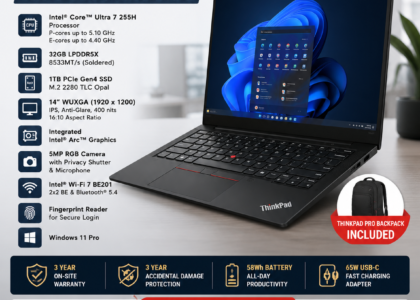
Two laptops that appear similar can use different motherboards, displays, batteries, keyboards, hinges, fans, display cables, chargers, and SSD configurations. For example, a ThinkPad T14 from one generation may use different components from another T14 generation. Before ordering a laptop spare part, provide: brand + exact model + machine type/model number + serial number where appropriate + existing part number/FRU if available. This reduces the possibility of ordering an incompatible component.
Corporate Laptop Repair for Multiple Devices
A corporate IT team managing a fleet may need: asset identification, complaint registration, device collection, diagnosis, repair approval, spare-parts sourcing, repair, testing, data/security checks, handover, and service documentation. A structured process helps the IT department understand which devices are under warranty, under AMC, repairable, awaiting parts, beyond economical repair, suitable for replacement, or suitable for buyback or disposal.
Laptop Repair SLA for Corporate Customers
A corporate service agreement should clearly define: complaint acknowledgement time, diagnosis timeline, parts availability lead time, repair completion target, testing process, and escalation procedure if the repair exceeds the agreed target. Do not accept vague promises such as “same-day support” unless the exact terms are documented.
On-Site vs Pickup-and-Repair Laptop Service
On-site laptop repair — a technician visits the business location — is useful for larger offices, multiple laptops, or critical systems. However, not every repair can be completed on-site; board-level repairs and certain component replacements may require workshop facilities. Pickup-and-repair is more appropriate for motherboard repair, complex hardware faults, detailed diagnostics, and specialized repairs. The service provider should explain the process before collecting the device.
Data Security During Laptop Repair
Before sending a company laptop for repair, the IT team should consider: whether sensitive data is stored on the device, whether the technician needs OS access, whether the SSD needs to remain installed, whether the device is encrypted, whether backups are available, and whether the organization has a repair-vendor security policy. Where possible, follow internal IT security procedures and provide technicians with only the access required to perform the repair.
What Should Be Included in a Corporate Laptop Repair Quotation?
| Item | Details |
|---|---|
| Laptop brand & model | Exact manufacturer and model |
| Serial number | Asset identification |
| Problem reported | Customer complaint |
| Diagnosis | Identified fault |
| Part required | Exact component + FRU/part number |
| Labour | Repair/service charge |
| Warranty | Repair/part warranty |
| Taxes | Applicable GST |
How to Choose the Right Laptop Repair Partner in Bangalore
Businesses should evaluate vendors based on more than price. Consider: technical capability (hardware and software diagnosis), corporate experience (asset tracking, service records), brand coverage, parts sourcing (correct part identification), repair warranty, service documentation (service report), data handling procedures, turnaround time, escalation process, and commercial transparency (labour, parts, GST clearly separated).
When Is a Laptop Beyond Economical Repair?
A laptop may be considered beyond economical repair when the expected repair cost and risk are not justified by the remaining value or useful life. Consider: repair cost + downtime + future repair risk versus replacement cost + deployment cost. For older corporate laptops, the right answer may sometimes be replacement rather than repeated repairs — which is where laptop repair, laptop AMC and corporate laptop buyback should be considered together as part of the IT asset lifecycle.
Laptop Repair → AMC → Buyback → E-Waste
Corporate laptop management as a lifecycle: Procurement → Deployment → AMC/Maintenance → Repair → Upgrade → Replacement → Buyback/Reuse → Responsible E-Waste Management. This approach helps companies make better decisions about when to repair, maintain, replace or retire equipment.
Laptop Repair and AMC: What’s the Difference?
| Repair Service | Laptop AMC |
|---|---|
| Usually incident-based | Contract-based ongoing support |
| Used when a problem occurs | Structured fleet maintenance |
| Suitable for occasional issues | Useful for recurring fleet support |
Common Mistakes When Choosing Laptop Repair Services
- Choosing only on price — the cheapest quotation may not provide the best parts, quality or warranty
- Not checking the exact model — similar-looking laptops can use different components
- Not asking for the part number — part numbers reduce compatibility problems
- Not asking about warranty — always understand the repair and part warranty
- Not documenting the asset — corporate laptops should be traceable through the repair process
- Ignoring data security — company information should be protected during repair
- Replacing the motherboard without diagnosis — a no-power condition does not automatically mean full motherboard replacement is required
Need Laptop Repair or Corporate IT Support in Bangalore?
If your business has laptops requiring diagnosis, repair, spare parts or ongoing IT maintenance, contact SparkonDigitech with the laptop model, quantity and problem description. Request a diagnosis and quotation before approving major repairs.
Phone: +91 98451 41787 | Email: sales@sparkondigitech.com
How SparkonDigitech Can Support Business Laptop Requirements
SparkonDigitech is a Bengaluru-based technology solutions company providing IT sales and services for businesses and individuals. Depending on the device and business requirement, companies may need laptop repair, hardware troubleshooting, laptop spare parts, IT maintenance, laptop AMC, new laptop procurement, replacement planning, corporate laptop buyback, or e-waste management. SparkonDigitech’s current website identifies Sales & Service and Corporate E-waste Disposal among its technology offerings.
For a corporate repair requirement, provide: laptop brand, exact model, quantity, serial number/asset ID, problem description, warranty status, location, and required turnaround time.
Important: Repair pricing, parts availability, warranty, service coverage and turnaround time should be confirmed for the specific laptop model and fault before approving the work.
Address: 696, 4th Main Rd, BEML Layout, 5th Stage, Rajarajeshwari Nagar, Bengaluru – 560098
Phone: +91 98451 41787
Email: info@sparkondigitech.com | sales@sparkondigitech.com
Website: sparkondigitech.com
Frequently Asked Questions
What is the best laptop repair service in Bangalore?
The best repair provider depends on the laptop brand, fault, warranty status, required turnaround time, parts availability, repair warranty and whether the requirement is individual or corporate. Businesses should compare technical capability and service terms rather than price alone.
Can a corporate laptop be repaired instead of replaced?
Yes. If the laptop remains suitable for the employee’s work and the repair is economically reasonable, repairing the device may extend its useful life significantly.
Can a laptop motherboard be repaired?
Some motherboard faults can be diagnosed and repaired at board level. Other failures may require motherboard replacement. The appropriate solution depends on the specific fault and board condition.
Is motherboard repair cheaper than motherboard replacement?
It can be, but not always. The cost depends on the fault, repair complexity, replacement board availability and laptop model.
Should I use OEM or compatible laptop spare parts?
The appropriate choice depends on the laptop, budget, availability and required reliability. Corporate customers should understand exactly what type of part is being supplied and what warranty applies.
How do I find the correct laptop spare part?
Provide the exact laptop model and, where possible, the existing part number or FRU number. Serial number and machine type can also help identify the correct configuration.
Does laptop repair include data recovery?
Not automatically. Data recovery should be treated as a separate requirement and discussed before the repair begins.
How long does laptop repair take?
Turnaround depends on the fault, diagnostic requirements, parts availability and repair complexity. A simple software issue can require much less time than a motherboard repair.
Can laptop repair be done on-site?
Some repairs can be performed on-site, while complex motherboard or component-level repairs may need a workshop. Confirm this with the service provider before scheduling.
What should companies check before sending laptops for repair?
Companies should record the asset and serial number, check warranty/AMC coverage, back up important information, document physical condition and confirm the repair provider’s data-handling and service process.
Does SparkonDigitech provide laptop repair services in Bangalore?
SparkonDigitech is a Bengaluru-based technology solutions company with IT sales and service offerings. Businesses should contact SparkonDigitech at +91 98451 41787 to confirm current repair services, supported models, parts availability, pricing and turnaround for their specific requirement.
Need help with this for your company? See our laptop repair for businesses in Bangalore page, or call +91 98451 41787 (Mon–Sat, 10 AM–7 PM).