
When a business laptop fails, the immediate question is rarely “should we repair or replace it?” — it is usually “who do we call, and how quickly can we get the employee back online?” But for an IT team managing 50, 100 or 500 devices, the repair-versus-replacement decision happens repeatedly, and the accumulated effect of making it ad-hoc — without a consistent framework — is visible in IT costs, device downtime, asset management complexity and fleet standardisation over time.
SparkonDigiTech provides laptop repair for businesses in Bangalore. Call or WhatsApp +91 98451 41787 for a quote.
This guide provides a structured framework for corporate IT teams to evaluate whether a damaged, slow or ageing laptop should be repaired, upgraded, reassigned or replaced — and how that decision connects to spare-parts availability, AMC coverage, fleet lifecycle planning and responsible device disposal.
Should a Business Repair or Replace a Laptop?
There is no universal answer, but the starting point is this: a business should generally evaluate repair when the device is otherwise suitable for continued use, the fault is isolated, and repair cost and risk are proportionate to the expected remaining useful life. Replacement becomes more appropriate when the device is repeatedly failing, significantly outdated, unsuitable for the employee’s workload, difficult to source parts for, or when the expected remaining useful life is too short to justify the repair investment.
The decision is more nuanced than a simple cost comparison. A repair invoice does not capture the full cost of downtime, technician time, temporary replacement logistics, or future failure risk. Equally, a replacement cost does not capture the administrative overhead of deployment, configuration, data migration, and secure disposal of the old device.
For corporate laptop repair assessment or spare-parts identification, see our corporate laptop repair services in Bangalore guide.
Laptop Repair vs Replacement: 10 Factors Businesses Should Evaluate
1. Age of the Laptop
Age is relevant but not determinative. What matters is what age implies: an older laptop may use a processor generation no longer supported by the latest OS builds, may have a battery that has degraded beyond useful business capacity, may have components that are difficult to source, and may not meet the performance or security requirements of current applications. A three-year-old business-class device in good condition with a failed keyboard is a different situation from a six-year-old entry-level device with a failing motherboard and no spare-parts availability.
Questions to ask: Is the device still supported by the current OS? Are spare parts still available for this model? Does the device meet current performance requirements for this employee? Is the battery at a point where replacement is practical?
2. Repair Cost in Context
Repair cost should not be compared only with the laptop’s purchase price or replacement cost. The relevant comparison is: repair cost + downtime + technician labour + future repair risk, versus replacement cost + deployment + configuration + data migration + disposal/buyback value. A repair that costs 20% of a replacement device’s price may still not be worthwhile if the device is likely to fail again within six months. Conversely, a repair costing 40% of replacement may be very reasonable for a less-than-two-year-old business-class device with no prior repair history.
Do not use any single percentage threshold as a universal rule. Evaluate each case in the context of the device’s age, condition and remaining useful life.
3. Type of Failure
The nature of the failure is one of the most important inputs to the repair decision:
Generally more repair-friendly: keyboard replacement, battery replacement, cooling fan replacement, display assembly replacement (where parts are available), hinge repair, DC-in/charging port replacement, display cable, SSD replacement (where drive is the cause of failure), RAM replacement where applicable.
Requires deeper evaluation: motherboard failure (cost, availability, device age), liquid damage (extent of damage determines feasibility), repeated charging failures suggesting board-level electrical issues, major physical damage, multiple simultaneous failures. For a detailed guide to motherboard-related failures, see our article on what causes laptop motherboard failure.
4. Performance Requirements
Repair restores a device to working condition — it does not upgrade its performance. A laptop repaired after a battery failure still has the same CPU, RAM and storage it had before. If the underlying device can no longer support the employee’s workload, current business applications, or security requirements, repair is solving the wrong problem. The performance evaluation should happen alongside the repair assessment: if the device would be inadequate for its intended use even after a successful repair, replacement should be evaluated regardless of repair feasibility.
5. Spare Parts Availability
Parts availability affects both whether a repair is possible and how long it will take. For devices within the OEM’s active supply period (typically 3–5 years after production end), genuine/OEM parts are usually available. For older models, compatible parts from verified suppliers may be the practical alternative, and for discontinued models, used/pulled components may be the only option — with corresponding implications for warranty and reliability. A repair that requires a part that is unavailable, long lead-time, or only available as a used component carries different risk than a repair using a readily-available OEM part.
For guidance on evaluating spare-parts quality by condition type, see our OEM vs compatible laptop spare parts guide and our vendor selection checklist for corporate IT teams.
6. Downtime and Its Cost
The full cost of a laptop failure is not limited to the repair invoice. A device that takes 5–7 days to repair during which the employee is waiting for a loan unit, or 10 days during which they are working on a temporary device that does not have the right configuration, represents a real productivity cost. For business-critical roles, the downtime cost may substantially exceed the repair cost. This is one of the reasons that corporate AMC arrangements — which typically include faster diagnosis, prioritised repair and sometimes loan device provision — are structured differently from ad-hoc repair.
7. Warranty and AMC Coverage
Before authorising a paid repair, check: is this device still within the manufacturer’s warranty? Is there an extended warranty? Is it covered under an AMC arrangement? Does the AMC cover accidental damage or only hardware failure? Are components covered, or only labour? Many corporate repairs are partially or fully covered under existing agreements that are not checked at point of failure. For companies without structured AMC coverage, understanding what is and is not covered is an important part of planning laptop lifecycle costs. See our guide to laptop AMC services in Bangalore for a framework on what AMC arrangements can cover.
8. Security and Compliance
A laptop that is not receiving OS security updates — because the OS version is end-of-life or the hardware cannot run a supported version — is a security risk regardless of its physical condition. Similarly, a device that does not meet company endpoint security requirements, or cannot run the security tools required by the organisation’s IT policy, may need to be replaced for compliance reasons rather than hardware ones. Data handling during repair also matters: when a device leaves the company for external repair, the security of stored data requires consideration — whether through encryption, data wiping to backup, or controlled repair process.
9. Fleet Standardisation
At scale, the decision to repair an individual device happens within a broader fleet context. A company with 200 laptops across six different models and four generations faces significantly higher support complexity than one with two standardised models. When the oldest generation of devices in a fleet begins to fail at an increasing rate, repairing each individual device on a case-by-case basis may be less efficient than a planned refresh that standardises the fleet to a single current model — simplifying spare-parts inventory, IT imaging, deployment and troubleshooting. Fleet standardisation does not always reduce cost in the short term, but it can reduce management overhead and spare-parts complexity over time.
10. Remaining Useful Life
The most important question is: if we repair this laptop today, how long can we reasonably expect to continue using it in its intended role? A repair that extends a device’s useful life by two or more years has a different value calculation than one that is likely to be followed by further failures within six months. Remaining useful life is informed by: age, current condition, repair history, battery health, spare-parts availability for future repairs, and the device’s ability to meet performance and security requirements for the expected remaining use period.
Laptop Repair vs Replacement: Decision Matrix
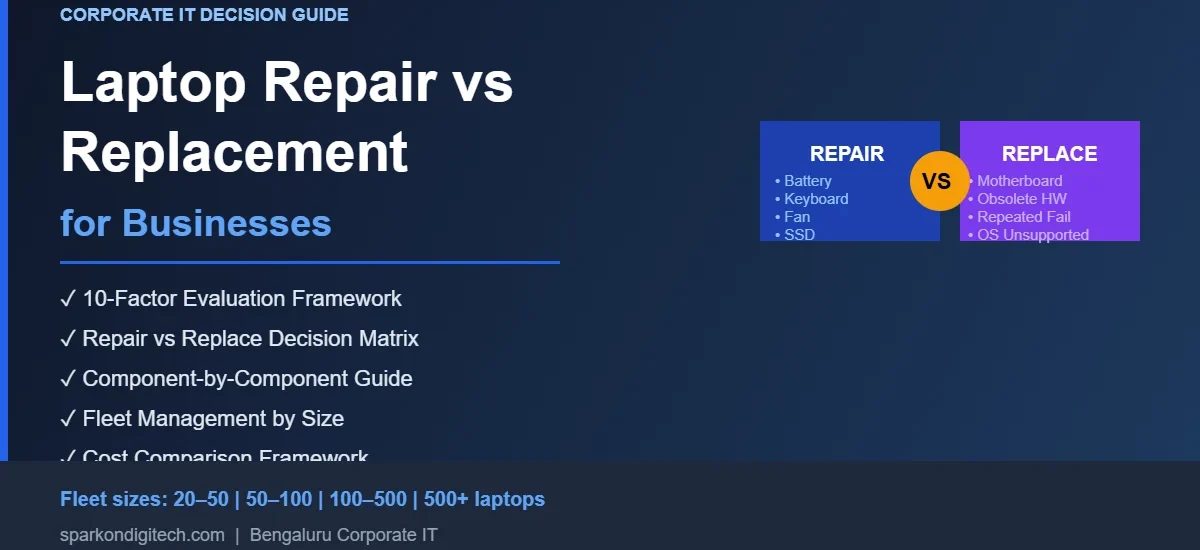
| Situation | Repair | Upgrade | Replace | Evaluate Further |
|---|---|---|---|---|
| Battery failure | ✓ | |||
| Broken keyboard | ✓ | |||
| SSD failure | ✓ | ✓ | ||
| Slow performance (adequate hardware) | ✓ | |||
| Display failure | ✓ | ✓ | ||
| Motherboard failure | ✓ | ✓ | ||
| Liquid damage | ✓ | ✓ | ||
| Repeated failures (multiple components) | ✓ | ✓ | ||
| Obsolete hardware / OS unsupported | ✓ | ✓ | ||
| Under warranty or AMC | ✓ | |||
| Isolated failure, newer device | ✓ | |||
| Poor performance, older device | ✓ |
Use this as a starting point for evaluation, not as an absolute technical rule. The right decision depends on the full context of the device, its usage, and the company’s operational requirements.
How Should Companies Compare Repair Cost With Replacement Cost?
The repair-versus-replacement cost comparison is more complex than comparing two invoice figures. Companies should compare the total expected cost of each path:
Total repair cost: parts + labour + downtime (employee productivity) + temporary replacement cost + logistics + future repair risk (probability and expected cost of further failures)
Total replacement cost: new device purchase + deployment and configuration + data migration + spare-parts write-off (if parts were purchased for the old device) + disposal/buyback value of the old device
The disposal/buyback element is often overlooked. A replaced laptop has residual value if sold or traded in through a corporate buyback programme — which offsets part of the replacement cost. For companies with existing device inventory, the corporate laptop buyback option may meaningfully change the replacement cost calculation.
Repair vs Replace by Device Lifecycle Stage
Newer device (within warranty / early lifecycle)
Repair is generally the right starting point — particularly for isolated component failures. The device has significant remaining useful life, OEM parts are available, and the repair cost is likely to represent a small fraction of remaining value. Check warranty or AMC coverage first, as the repair may be covered at no cost.
Mid-lifecycle device
Evaluate repair against remaining useful life and performance. If the device is performing well and the failure is isolated to a replaceable component with available parts, repair is often appropriate. If the failure involves a high-cost component (motherboard), or if performance has already become marginal for the role, consider replacement. Repair history matters at this stage: a device that has required multiple repairs may be approaching end of reliable life.
Older device
Weigh repair cost carefully against the device’s remaining useful life and performance adequacy. Parts may be available as compatible or used/pulled options rather than OEM, with associated quality and reliability considerations. A repair that buys 12 months of additional use may be a better choice than immediate replacement in some budget contexts, but a repair that restores a device to short-term function before it is likely to fail again elsewhere is less clearly worthwhile.
End-of-life device
When a device has reached the end of its practical useful life — through age, performance inadequacy, security non-compliance or parts unavailability — replacement, reassignment to a lower-demand role, or responsible disposal through a corporate buyback or IT asset disposal programme is usually the more appropriate path than repair.
Should You Repair or Replace These Laptop Components?
Battery
Battery replacement is among the most common laptop repairs and generally straightforward to justify on a device that is otherwise in good condition. The relevant question is the device’s overall age and condition: replacing a battery on a one-to-three-year-old device is typically worthwhile; replacing a battery on a six-year-old device with performance issues and a failing hinge requires a broader assessment. Confirm battery FRU compatibility and OEM/compatible quality before ordering. For power component guidance, see our laptop spare-parts guide.
Display Assembly
Display replacement can be cost-effective on business-class laptops with significant remaining useful life. Specification verification (resolution, panel type, connector) is essential — ordering a display by model name alone without FRU confirmation frequently results in incorrect parts. For very old devices where display pricing approaches replacement cost, evaluate the full device situation before proceeding.
Keyboard
Keyboard replacement is one of the lower-cost, lower-risk repairs and is generally worthwhile on devices in otherwise serviceable condition. Layout (backlit/non-backlit, language), connector and palmrest compatibility must be verified by machine type and generation.
Cooling Fan
Fan replacement on an overheating device is typically straightforward and worthwhile if the device is otherwise suitable for use. Connector type and CPU/GPU configuration compatibility must be confirmed. Thermal paste replacement at the same time is standard practice.
Charger / Adapter
A charger or adapter failure is usually resolved by replacement of the charger itself — a relatively low-cost item. Voltage, wattage and connector type must match the original specification exactly. OEM chargers are preferred for safety and electrical compatibility, particularly for USB-C PD charging.
Charging Port / DC Jack
Charging port replacement is more invasive than charger replacement and requires board-level work. Feasibility depends on the specific failure (port damage vs board-level issue) and the device. On newer devices, worth evaluating; on older devices with additional issues, factor it into the broader assessment.
SSD / Storage
SSD replacement is generally worthwhile and also offers an opportunity to upgrade storage capacity. Data recovery from a failed SSD may or may not be possible depending on the failure mode. Confirm form factor (M.2/SATA, NVMe/SATA protocol) and slot compatibility.
RAM
RAM replacement or upgrade is applicable where RAM is socketed (not soldered). Many modern business laptops use soldered RAM — confirm the specific model before planning an upgrade. Where replacement is possible, it is low-risk.
Hinges
Hinge failure is a common wear issue in mobile-use laptops. Replacement is generally worthwhile on devices in otherwise good condition. Exact model and machine-type verification is essential — hinge torque and mounting configuration vary across chassis revisions.
Palmrest / Top Cover
Cosmetic damage to palmrests and top covers can affect user experience and device perception. Replacement is possible on most models but varies in labour complexity. For business-class devices used in client-facing roles, cosmetic repair may be worthwhile; for internal devices, the cost-benefit is lower.
Motherboard
Motherboard replacement is the highest-cost and highest-complexity laptop repair. The decision to replace a motherboard rather than the device requires: a realistic assessment of the device’s remaining useful life, a verifiable replacement motherboard (correct FRU, condition, warranty), and a repair cost that is proportionate to the device’s value and expected remaining use. For older devices, motherboard failure is often the point at which replacement becomes more appropriate than repair. See our guide to laptop motherboard failure causes and prevention.
Liquid-Damaged Components
Liquid damage outcome depends entirely on the extent of damage and how quickly the device was powered down and dried. Minor liquid exposure that has not reached board-level components may result in only surface component damage. Significant board-level liquid exposure — particularly if the device was powered during the event — typically causes corrosion damage that is progressive and unpredictable. Full assessment before committing to repair cost is essential, and devices with extensive liquid damage are often better candidates for replacement.
Repair vs Replacement for Corporate Laptop Fleets
| Fleet Size | Recommended Approach |
|---|---|
| 20–50 laptops | Device-level assessment; maintain basic repair history per device; identify a preferred repair and spare-parts supplier |
| 50–100 laptops | Establish repair/replace evaluation criteria; maintain asset records with repair history; build preferred-parts register; consider AMC coverage |
| 100–500 laptops | Fleet-level lifecycle planning; segment by device age and model; track failure rates; plan spare-parts inventory; evaluate planned refresh vs reactive repair |
| 500+ laptops | Standardised refresh cycle integrated with repair policy; parts strategy by model; multi-location logistics; AMC framework; asset disposal/buyback programme |
Fleet size alone does not determine the appropriate policy. The company should analyse: failure rates by model and age, repair history per device, spare-parts availability for fleet models, employee performance requirements, warranty and AMC coverage, and planned refresh cycle. For a detailed fleet spare-parts procurement framework, see our guide to spare-parts procurement for 50, 100 and 500+ laptop fleets.
Corporate Laptop Repair vs Replacement: Decision Workflow
The following process supports consistent decision-making at the device level:
- Diagnose: Identify the specific failed component(s)
- Check warranty and AMC: Is this device covered by manufacturer warranty, extended warranty, or an active AMC?
- Assess the device: Age, condition, repair history, performance adequacy, OS support status
- Evaluate the failure: Is it isolated and repair-friendly, or is it a high-cost/high-risk failure?
- Check parts availability: Are suitable parts (OEM/compatible) available at appropriate quality and lead time?
- Estimate repair cost in full: Parts + labour + downtime + future risk
- Estimate replacement cost in full: New device + deployment + migration + disposal/buyback offset
- Assess remaining useful life: If repaired, how long is this device expected to remain in service?
- Make the decision: Repair, upgrade, reassign, or replace
- Record the outcome: Update asset records with repair history, parts used, and warranty details
8 Situations Where Repair May Make More Sense
- Isolated component failure — a single replaceable part (battery, keyboard, fan) with no other device issues
- Newer or mid-lifecycle device — the device has significant remaining useful life and meets performance requirements
- High-value business-class device — the device was purchased at a significantly higher price point than the repair cost suggests
- Parts readily available — OEM or verified compatible parts are available with short lead times
- Repair cost is proportionate — repair cost is a small fraction of replacement cost relative to remaining useful life
- Device meets performance requirements — after repair, the device is suitable for the employee’s workload and security requirements
- Warranty or AMC covers the repair — the repair is fully or substantially covered under existing coverage
- Replacement budget is delayed or constrained — a repair that provides 12+ months of additional reliable use while replacement budget is secured may be appropriate
8 Situations Where Replacement May Make More Sense
- Repeated failures — the device has required multiple repairs across different components, indicating systemic deterioration
- Motherboard failure on an older device — high-cost component failure on a device with limited remaining useful life
- Severe liquid or physical damage — damage affecting multiple systems, with uncertain repair outcome
- Obsolete hardware — device can no longer support the OS or applications required for the role
- Performance inadequacy — device is too slow for the employee’s requirements regardless of physical condition
- Unavailable spare parts — required parts are discontinued, available only as untested used components, or unavailable entirely
- Security or OS compliance gap — device cannot receive security updates or meet endpoint security requirements
- Repair cost and downtime make replacement more practical — total repair cost (parts + labour + downtime) approaches or exceeds replacement cost adjusted for buyback/disposal value
10 Mistakes Companies Make When Deciding Whether to Repair or Replace
- Looking only at the repair invoice — ignoring downtime, technician time, and future repair risk
- Not accounting for employee downtime — the productivity cost of a device out of service is a real business cost
- Not checking warranty or AMC coverage — a covered repair may be at no cost; failing to check wastes budget
- Ignoring repair history — a device that has required several repairs is a different risk than a device with its first failure
- Ordering incompatible parts — using model name rather than FRU number leads to wrong parts, returns, and extended downtime
- Ignoring security requirements — an OS-unsupported device is a security risk even if it is physically functional
- Keeping obsolete models too long — a fleet with many different models across many generations creates disproportionate support overhead
- Replacing devices without checking buyback/disposal value — replaced laptops have residual value; not capturing it is a missed cost offset
- Applying a blanket replacement-after-X-years rule — device lifecycle depends on condition, use, and requirements, not age alone
- Not recording repair decisions — without documented repair history, it is impossible to identify devices approaching end of reliable life or compare supplier performance
How Repair, Spare Parts, AMC and Buyback Fit Into the Laptop Lifecycle
The repair-versus-replacement decision does not happen in isolation. It is one stage in a connected device lifecycle:
Procurement → Deployment → Maintenance → Repair → Spare Parts → Upgrade → Reassignment → Replacement → Buyback / Disposal
Each stage connects to the next:
- Procurement and deployment set the baseline for lifecycle cost and standardisation
- Maintenance (including AMC coverage) extends device life and reduces repair frequency — see our guide to laptop AMC services in Bangalore
- Repair at the right point extends useful life cost-effectively — see our corporate laptop repair services guide
- Spare parts quality and availability determine repair feasibility and risk — see our guides to OEM vs compatible parts and vendor selection for corporate IT
- Reassignment extends the fleet value of devices no longer suitable for their original role — reassigned to lighter-use positions or secondary users
- Replacement should be planned rather than reactive wherever possible
- Buyback and disposal recover residual value and handle end-of-life devices responsibly — see our corporate laptop buyback programme
Managing this lifecycle systematically — rather than reacting to individual failures — produces better total cost outcomes for organisations managing laptop fleets of any size.
Laptop Repair or Replacement for Businesses in Bangalore
For companies in Bengaluru evaluating whether a laptop should be repaired or replaced — whether for a single device or a fleet — SparkonDigitech can support the assessment process. To request a repair assessment or spare-parts quotation, provide: laptop brand, model, machine type (MTM), approximate age, warranty status, issue description, quantity, and office location.
Not Sure Whether to Repair or Replace?
Share your requirements with SparkonDigitech: laptop brand, model, quantity, issue description, age, warranty status, and your Bengaluru location. We can support repair assessment, spare-parts identification, and corporate laptop buyback for end-of-life devices.
Phone: +91 98451 41787 | Email: sales@sparkondigitech.com
696, 4th Main Rd, BEML Layout, 5th Stage, Rajarajeshwari Nagar, Bengaluru – 560098
The 50% rule
The most widely used heuristic is simple: if a repair costs more than half of what an equivalent new machine would cost, replace instead.
It is a reasonable default because it captures the essential trade-off. A repair restores the machine to its current condition — it does not reset its age, its battery cycle count, or the wear on its hinges and ports. Spending heavily on an old machine buys you the remainder of an already-depleted service life.
But the rule is a starting point, not an answer, and it fails in three situations worth knowing.
Where the 50% rule breaks down
- The machine is part of a standardised fleet. If forty employees use the same model and you hold matching spare parts, a repair keeps the fleet uniform. Replacing one machine with a newer model introduces a variant — a different charger, different parts, different support quirks. The repair may be worth more than its cost suggests.
- The data or configuration is the valuable part. A machine carrying a complex development environment, licensed software tied to hardware, or unsynced local data represents work that a replacement does not include. The rebuild time is a real cost and belongs in the comparison.
- The fault is cheap relative to how severe it sounds. “The laptop won’t turn on” sounds terminal and is frequently an adapter, a battery, or a loose memory module. Never apply a cost rule before you have a diagnosis — the rule needs a number, and guesses are not numbers.
Frequently Asked Questions
Q: Is it cheaper to repair or replace a business laptop?
It depends on the specific failure, device age, and what costs are included in the comparison. Repair is often lower cost for isolated component failures on devices with significant remaining useful life. Replacement may be more cost-effective when repair cost is high, the device is old, performance is inadequate, or further failures are likely. The comparison should include downtime, labour, and future repair risk — not just part and device prices.
Q: When should a company replace a laptop instead of repairing it?
Consider replacement when: the device has failed repeatedly, the failure is major (motherboard, severe liquid damage), the device is obsolete or OS-unsupported, performance is inadequate for the role, spare parts are unavailable or impractical, or the total repair cost approaches replacement cost when adjusted for buyback value of the old device.
Q: How do businesses calculate laptop repair vs replacement cost?
Compare total repair cost (parts + labour + downtime + future failure risk) against total replacement cost (new device + deployment + migration + disposal/buyback value recovered). A device that can be repaired for a small fraction of replacement cost and has two or more years of remaining useful life is generally worth repairing. Do not compare only the repair invoice and purchase price.
Q: Is motherboard repair worth it on an older laptop?
Rarely, unless the device is a high-value business-class laptop with verified remaining useful life and a verified motherboard replacement is available at a cost proportionate to the device’s value. For most older devices, motherboard failure is the point at which replacement becomes more appropriate. Evaluate the device’s age, condition, and whether other components are also approaching end of life.
Q: Should companies repair laptop batteries?
Battery replacement (not “repair”) is generally worthwhile on devices that are otherwise in good condition and have significant remaining useful life. Battery replacement is one of the most common corporate laptop repairs and typically extends device life cost-effectively. Confirm battery FRU compatibility and OEM/compatible quality before ordering.
Q: When should a company replace a laptop battery?
When battery capacity has degraded to a point where the device can no longer support the employee’s working day without constant charging, or when battery health indicators show significant degradation. Battery replacement is generally worthwhile on devices up to 3–4 years old in otherwise good condition; on older devices, assess the overall device situation before replacing the battery.
Q: Does laptop age determine whether it should be replaced?
Age is a factor but not a determinative one. What matters is what age implies: OS support status, spare-parts availability, battery condition, performance adequacy, and repair history. A well-maintained 4-year-old business-class device may be worth repairing; a poorly-maintained 2-year-old entry-level device with multiple failures may not be. Evaluate the device’s actual condition and remaining useful life rather than applying a blanket replacement-after-X-years rule.
Q: Should companies repair laptops under warranty?
Yes — warranty coverage should be checked before authorising any paid repair. A device under active manufacturer warranty or AMC coverage may have the repair fully or substantially covered at no additional cost. Paying for a repair that is covered under warranty wastes IT budget. Always check warranty status as the first step when a covered device fails.
Q: How does AMC affect the repair vs replacement decision?
AMC (Annual Maintenance Contract) coverage can substantially change the repair economics. Under a well-structured AMC, repair labour and sometimes parts are covered, repair response times are defined, and loan devices may be available during repair. This reduces the downtime cost of repair and makes repair a more predictable proposition than ad-hoc procurement. See our laptop AMC services guide for what corporate AMC arrangements typically cover.
Q: How should companies handle repeated laptop failures?
A device that has required multiple repairs across different components — particularly within a short timeframe — should be flagged for replacement evaluation rather than continued repair. Maintaining a repair history per device makes this visible. Repeated failures are a reliable indicator that a device is approaching end of reliable operational life, and continued repair investment may not be a sound use of IT budget.
Q: Should companies repair or replace laptops in bulk?
Bulk decisions should be based on device-level data aggregated across the fleet — failure rates by model, age distribution, repair history, and parts availability. A decision to replace a segment of the fleet should be based on evidence from repair data rather than assumed. For fleet procurement guidance, see our fleet spare-parts procurement framework.
Q: What information should an IT team provide before requesting a repair assessment?
Provide: laptop brand, model name, machine type (MTM) or serial number, approximate age, warranty status, issue description, previous repair history if known, quantity (if multiple devices), and office location. This allows an accurate assessment rather than a generic estimate.
Q: Can spare-parts availability affect the repair decision?
Yes. If the required part is unavailable, available only as a discontinued or used component with limited warranty, or has a prohibitively long lead time, the repair feasibility changes. Parts availability is most constrained for older models outside the OEM’s active supply period. For guidance on sourcing parts for corporate fleets, see our laptop spare-parts supplier checklist.
Q: What should companies do with laptops that are no longer economical to repair?
Options include: reassignment to a lower-demand role within the organisation (extending device value), sale or trade-in through a corporate laptop buyback programme, responsible e-waste disposal, or device donation where applicable. End-of-life devices should not simply be stockpiled — they represent residual value and carry data-security obligations. See our corporate laptop buyback service for device disposal and value recovery options.
Need help with this for your company? See our laptop repair for businesses in Bangalore page, or call +91 98451 41787 (Mon–Sat, 10 AM–7 PM).