

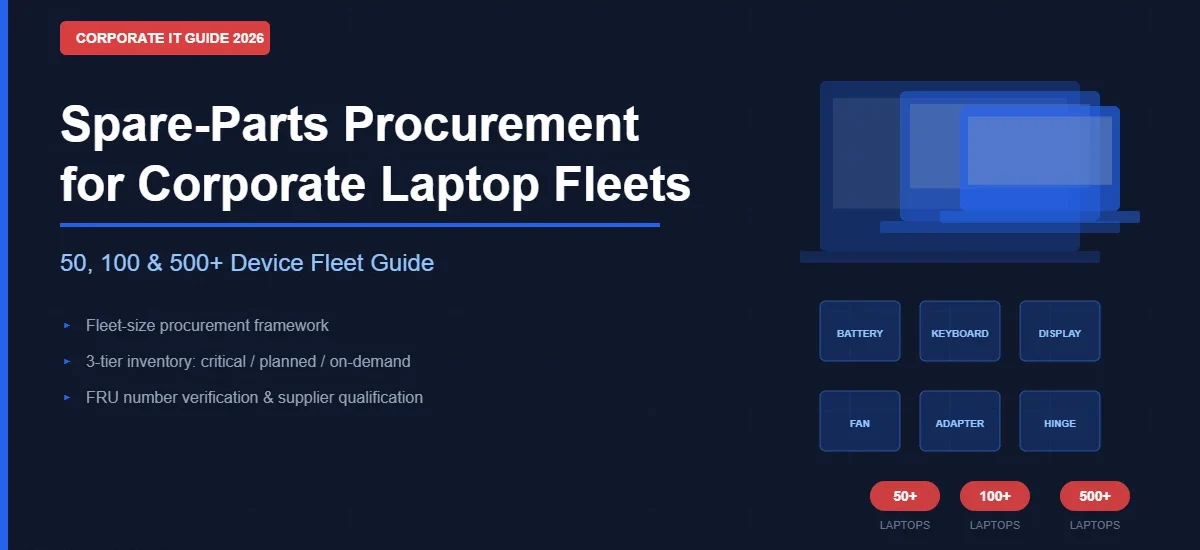
When a company manages 10 or 15 laptops, buying spare parts reactively — ordering a battery or keyboard only when one fails — is manageable. When the same company grows to 50, 100 or 500 laptops, the reactive approach creates a different set of problems: prolonged employee downtime while parts are sourced, inconsistent component quality from multiple ad-hoc vendors, emergency procurement at higher prices, and no visibility over what is in stock, what is ageing out, or what is likely to fail next.
SparkonDigiTech provides laptop spare parts in Bangalore. Call or WhatsApp +91 98451 41787 for a quote.
Corporate laptop spare-parts procurement requires a shift in approach as fleet size grows. The goal is not to stockpile every component, but to maintain the right parts at the right time based on fleet composition, device age, failure history, and supplier reliability.
This guide is intended for IT managers, procurement heads, and IT administrators who are managing laptop fleets of 50, 100, or 500+ devices and need a practical framework for spare-parts planning and procurement — not a generic parts catalogue.
Why Spare-Parts Procurement Matters for Corporate Laptop Fleets
The business case for structured spare-parts procurement is straightforward when quantified. A laptop that is out of service while a replacement part is sourced, delivered and installed represents lost productivity — the longer the repair cycle, the greater the cost. Beyond direct productivity impact, reactive procurement carries additional costs:
- Emergency sourcing at higher per-unit cost than planned procurement
- Inconsistent part quality when sourcing from multiple unvetted vendors under time pressure
- Higher risk of incorrect parts due to insufficient verification at point of order
- Repeated administrative overhead of individual ad-hoc purchase orders
- Difficulty forecasting IT maintenance budget without repair history data
Structured spare-parts procurement allows IT teams to reduce repair turnaround time, predict maintenance costs with greater accuracy, and extend the operational life of existing devices — reducing total cost of ownership across the fleet. For organisations that have implemented laptop repair services in Bangalore, having the correct parts available is what determines whether a same-day repair is possible or whether a device is out of service for days.
What Should a Company Consider Before Buying Laptop Spare Parts?
| Factor | Why It Matters |
|---|---|
| Fleet size | Determines the overall inventory requirement and whether bulk procurement is cost-effective |
| Number of laptop models | More models increases SKU complexity — a 50-laptop fleet with 10 models is harder to stock than one with 2 |
| Device age | Older devices typically require more replacement parts; warranty-covered devices may not require stocking at all |
| Warranty status | Parts covered under active manufacturer or vendor warranty should not be purchased unnecessarily |
| Failure history | 12–24 months of repair data identifies which components fail most frequently in your specific fleet |
| Employee criticality | Priority users — field staff, senior management, customer-facing roles — may require faster repair, justifying higher safety stock for key parts |
| Part lead time | Parts with longer supplier lead times require higher safety stock; short lead times allow lower held inventory |
| Vendor availability | A reliable supplier reduces procurement delays; sole-source dependency creates risk |
| Part compatibility | Incorrect part identification is a leading cause of inventory waste — FRU/part number verification is essential |
| Storage conditions | Batteries and sensitive components require appropriate storage to preserve functionality |
| Warranty/return terms | Supplier warranty and return policy on spare parts reduces procurement risk |
Spare-Parts Procurement for a 50-Laptop Fleet
At approximately 50 laptops, a company typically reaches the point where the effort of tracking and planning a modest spare-parts inventory becomes worthwhile. The key variable is model standardization: a 50-laptop fleet consisting of 2–3 standardized models (for example, a single Lenovo ThinkPad generation for office staff and one Dell model for field users) has a manageable and predictable spare-parts requirement. A 50-laptop fleet across 8–10 different models creates significantly higher SKU complexity for the same number of devices.
Practical approach at 50 laptops:
- Identify the 2–3 most common failure categories in the fleet over the past 6–12 months
- Hold a small quantity of the highest-frequency consumable parts: batteries (the most common wear component in any laptop fleet), keyboard assemblies for the primary models, and charger/adapter units
- For parts that fail occasionally but require replacement (display assemblies, fans, display cables, hinges): maintain an on-order-within-24-hours arrangement with a reliable supplier rather than holding stock
- For high-value, low-failure components (motherboards, display panels for less common models): order on demand after diagnosis
At this fleet size, the inventory overhead is modest and can be managed in a spreadsheet. The primary gains are: faster resolution for the most common failures, elimination of emergency procurement for predictable wear items, and a single trusted supplier relationship for other parts.
Spare-Parts Procurement for a 100-Laptop Fleet
At 100 devices, the case for structured spare-parts procurement becomes compelling. A company with 100 laptops and no parts buffer is likely dealing with multiple simultaneous repair requirements, variable repair timelines depending on part availability, and no systematic view of which components are failing most.
Framework at 100 laptops:
- Conduct a repair history review: export all repair records from the past 12 months, group by component type and laptop model, and identify the top 5–6 most frequently replaced parts
- Classify inventory into three tiers:
| Tier | Components | Stocking Approach |
|---|---|---|
| Critical stock | Batteries, adapters/chargers, keyboards for primary models, commonly failing display cables | Maintain a standing inventory; replenish on use |
| Planned stock | Cooling fans, hinges, display assemblies for primary models, palmrests | Maintain a small buffer; reorder quarterly or on depletion |
| Order on demand | Motherboards, rare display assemblies, model-specific specialty parts, components for minority models | Source after diagnosis; do not stock routinely |
- Establish a preferred supplier framework — a single primary supplier for most parts and an identified secondary source for urgency situations
- Implement part-number tracking: record the FRU/part number for every purchased component against the relevant laptop model, so reordering is accurate and fast
- Review inventory levels quarterly against repair history; adjust stock levels if usage patterns change
At 100 laptops, the investment in a simple parts tracking system — even a structured spreadsheet with model, FRU number, quantity on hand, quantity reorder point, and supplier — yields measurable repair-cycle improvement. For companies operating under an Annual Maintenance Contract for laptops in Bangalore, structured spare-parts inventory is part of delivering against service commitments.
Spare-Parts Procurement for 500+ Laptop Fleets
At 500 or more laptops, spare-parts procurement transitions from a support function to a defined operational process with its own workflows, governance, and performance metrics. The variables that are manageable at 50 or 100 devices — informal supplier relationships, manual tracking, periodic review — become risk factors at this scale.
Key structural requirements at 500+ laptops:
- Centralized inventory with location tracking: For multi-site organizations, spare-parts inventory may need to be held at multiple locations. Tracking which parts are at which site, and what the reorder point is for each location, requires a structured system
- SKU/FRU number standardization: Every spare part in the inventory should have an assigned part number, a linked laptop model (or models), and a documented supplier. This prevents incorrect procurement and allows systematic reordering
- Preferred supplier agreements: At this scale, negotiating a supply framework with one or two primary suppliers — including pricing, lead times, and priority availability for common parts — is cost-effective and reduces procurement risk
- Purchase-order workflow: Informal verbal ordering creates accountability gaps. A defined PO process with approval thresholds, supplier confirmations, and delivery tracking applies at this scale
- Failure-rate analysis: Monthly or quarterly analysis of component failure rates by laptop model and device age allows predictive procurement — adjusting stock levels before failure rates rise (as ageing devices approach the end of their lifecycle)
- Obsolete-part management: As older laptop models are retired from the fleet, the spare parts held for those models need to be reviewed. Holding inventory for retired models ties up storage and budget with diminishing return
- Safety stock for critical users: At this scale, it is realistic to maintain a small pool of loan devices for critical users during repair, alongside a sufficient parts inventory to resolve most common failures without delay
50 vs 100 vs 500+ Laptop Fleets: What Changes?
| Dimension | 50 Laptops | 100 Laptops | 500+ Laptops |
|---|---|---|---|
| Procurement approach | Minimal planned stock; reactive + select buffer items | Structured 3-tier inventory | Formal inventory management with supplier agreements |
| Inventory complexity | Low — 1–3 models manageable | Medium — model standardization critical | High — SKU/FRU tracking essential |
| Stock planning | Based on top 2–3 failure types | Based on 12-month repair history | Based on failure-rate analysis per model |
| Vendor strategy | Single preferred supplier | Primary + secondary supplier | Framework supplier agreements |
| Part-number tracking | Basic — model + part type | FRU number per model documented | Centralized parts register |
| Emergency procurement risk | Moderate | Low-moderate (buffer stock) | Low (safety stock + preferred supplier) |
| Inventory review frequency | Every 6 months | Quarterly | Monthly or quarterly by category |
| Multi-location requirements | Usually not required | Sometimes (2 office locations) | Common — site-level inventory |
| Lifecycle planning | Informal | Model-age tracking | Systematic refresh planning integrated with parts |
Which Laptop Spare Parts Should Companies Prioritize?
| Component | Priority | Why |
|---|---|---|
| Battery | High | Wear component with predictable degradation; highest replacement frequency in most fleets |
| Keyboard | High/Medium | Frequent physical wear in high-usage environments; model-specific |
| Adapter/charger | High | Common failure or loss item; essential for device operation |
| Display assembly | Medium | Accidental damage; replacement frequency depends on usage environment |
| Cooling fan | Medium | Failure leads to overheating and shutdown; thermal maintenance reduces frequency |
| Display cable/flex | Medium | Hinge-related cable failures common in high-mobility fleets |
| Charging port/DC jack | Medium | Physical and electrical wear; USB-C port damage increasingly common |
| Hinge | Medium | Mechanical wear in field/mobile laptop use |
| Motherboard | Order on demand | High cost; model-specific; rarely beneficial to stock speculatively |
| Rare/model-specific parts | Order on demand | Low utilization; holding stock for minority models is usually inefficient |
Priority will vary by fleet. A field-sales team using laptops in high-mobility environments will have higher display cable and hinge failure rates than an office-based team. An organisation with older fleet devices (3–5 years+) will see higher battery replacement frequency than one with newer hardware. Historical repair data from your own fleet is more reliable than generic industry estimates.
OEM, Genuine, Compatible, Used or Refurbished Parts — What Should Companies Buy?
OEM and Genuine Parts
OEM (Original Equipment Manufacturer) and genuine parts meet the original manufacturer’s specification for the device. They are generally the safest choice when exact compatibility is essential, when the device is under warranty that requires original parts, or when corporate policy specifies OEM sourcing. The primary trade-off is cost — OEM parts typically carry a higher unit price than compatible alternatives.
Compatible (Third-Party) Parts
Compatible parts are manufactured by third parties to work with specific laptop models. Quality varies across manufacturers and product categories. For some components — adapters, keyboards, RAM — compatible options from established suppliers are widely used in corporate environments with acceptable outcomes. For precision components like display assemblies or motherboards, compatibility verification is critical before procurement. Companies considering compatible parts should confirm that the supplier provides specifications, warranty terms, and a return policy.
Used and Pulled Parts
Used or pulled parts are components removed from functional or decommissioned units. For budget-conscious procurement of hard-to-find components for ageing laptop models, used parts may be a practical option. Procurement teams should ask about: condition grading, testing (whether the component has been tested and confirmed working), traceability (the source device), warranty, and return terms. Ungraded, untested used parts carry higher replacement risk and should be avoided for critical components.
Refurbished Parts
Refurbished parts have been inspected, cleaned, and in some cases, had sub-components replaced before being resold. Refurbishment quality varies significantly between suppliers. When evaluating refurbished components, ask specifically: what testing protocol was applied, what was replaced or restored, what warranty period applies, and what the return/replacement policy is. For our detailed guide to OEM versus compatible versus refurbished options, see the existing article on laptop spare parts — OEM, genuine and compatible options in Bangalore.
Why Part Numbers and FRU Numbers Matter
One of the most common and costly procurement errors is ordering a spare part by description rather than by verified part number. “Lenovo ThinkPad T14 battery” is not a sufficient specification for a purchase order. Multiple battery variants may exist for a single laptop model depending on the generation, chassis revision, watt-hour rating, connector type, and cell count.
Before ordering any spare part, verify:
- Exact laptop model and machine type: Not just “ThinkPad T14” but the precise machine type (e.g., 20UD, 21CF)
- Generation: Gen 1, Gen 2, Gen 3 may use different components despite similar external appearance
- FRU number: The Field Replaceable Unit number identifies the specific component designed for that laptop. It is printed in the service manual and on the component label
- Physical compatibility: Connector type, cable length, form factor — particularly important for batteries, display cables, and keyboards
- Electrical specification: Voltage and capacity for batteries; wattage for adapters
Ordering without verifying the FRU number leads to: wrong components arriving, installation delays, return shipping costs, and inventory waste. A reliable supplier will request FRU or part number verification before confirming supply — this is a sign of professional practice, not an obstacle.
How to Build a Corporate Spare-Parts Inventory
Step 1: Export your asset register
Document all laptops in the fleet: brand, model, machine type, generation, purchase date, warranty expiry date, and assigned user or department. This is the foundation for all subsequent planning.
Step 2: Group devices by model
Identify the 3–5 most common laptop models in the fleet. Parts planning for the majority models should take priority. Minority models (fewer than 5 devices) are typically candidates for order-on-demand rather than stocked inventory.
Step 3: Review repair history
Pull 6–12 months of repair records. Group by: component replaced, laptop model, and department/usage type. This identifies which components fail most frequently in your specific environment — which is more reliable than generic assumptions.
Step 4: Identify frequently replaced parts
The top 3–5 most frequently replaced components for your primary laptop models become the candidates for critical stock. Components replaced occasionally become candidates for planned stock. Everything else is order-on-demand.
Step 5: Classify inventory tiers
Apply the three-tier classification: critical stock (maintain and replenish), planned stock (small buffer, quarterly review), and order-on-demand (no standing inventory).
Step 6: Identify and qualify suppliers
Establish a preferred supplier for the majority of requirements and a secondary source for urgency situations. Verify that your preferred supplier can provide: FRU-verified parts, condition disclosure, warranty terms, GST-compliant invoicing, and documented delivery timelines.
Step 7: Set reorder levels
For each critical and planned stock item, define the reorder point — the quantity at which a replenishment order is placed — based on average consumption rate and supplier lead time.
Step 8: Review quarterly
Spare-parts requirements change as the fleet ages, as models are retired, and as usage patterns evolve. A quarterly review of stock levels against actual consumption prevents over-holding obsolete parts and under-holding critical ones.
How to Calculate a Practical Stock Level
There is no universal formula that applies to every fleet. A useful starting conceptual model is:
Required stock ≈ expected demand during supplier lead time + safety buffer based on business criticality
For example: if a particular battery model has required replacement 8 times in the past 12 months across your fleet, and your supplier lead time for that part is 3 days, you need enough stock to cover approximately 3 days of typical demand (roughly 0.2 batteries on average), plus a safety buffer appropriate to how critical immediate availability is for your users.
For a fleet where employee downtime during repair is costly (field sales, customer-support teams), the safety buffer is higher. For a fleet with spare loan devices available, the safety buffer can be lower. There is no correct answer that applies universally — the calculation should reflect your business’s actual risk tolerance and operational context.
Common Spare-Parts Procurement Mistakes
- Ordering without verifying the FRU/part number — the single most common cause of wrong parts arriving
- Stocking parts for too many different laptop models — model proliferation increases SKU complexity without proportional benefit
- Holding large quantities of expensive parts that rarely fail — ties up budget with low utilization
- Ignoring repair history — procurement based on assumptions rather than actual fleet data leads to misaligned inventory
- Not checking warranty status — procuring parts for devices still covered by manufacturer warranty is unnecessary cost
- Buying only on price — the cheapest part is not always the lowest total cost when accounting for compatibility failures and returns
- Not testing used or pulled components before deployment — untested used parts can fail quickly and add to repair overhead
- No inventory tracking — without a record of what is in stock, procurement is duplicated, stock is lost, and usage patterns are invisible
- No reorder process — running to zero stock before ordering creates the same emergency procurement problem as not stocking at all
- No alternative supplier — sole-source dependency creates risk when a supplier is out of stock or delayed
- Ignoring discontinued models — laptops approaching end-of-life need a clear plan: either source and hold critical parts now, or plan device retirement before parts become unavailable
- Not separating critical and non-critical inventory — treating all parts identically leads to over-investment in some categories and under-investment in others
What to Expect from a Professional Spare-Parts Supplier
A supplier supporting corporate IT teams should be able to provide:
- Part-number or FRU-based verification before confirming supply — not just description-based ordering
- Clear disclosure of part condition and grade (OEM, genuine, compatible, used, refurbished)
- Testing information for used or refurbished components where applicable
- Stated warranty period and return/replacement terms for supplied parts
- GST-compliant commercial invoicing
- Realistic delivery timeline — not vague assurances
- A named contact for bulk or repeat procurement
- Quotation capability for multi-part, multi-model requirements
Spare-Parts Procurement for AMC Companies
For companies providing laptop Annual Maintenance Contracts to corporate clients, spare-parts sourcing is a direct operational requirement — not a background activity. The ability to resolve common failures within SLA timelines depends on having the right parts available or accessible within a predictable lead time. Key considerations for AMC providers:
- Multi-brand and multi-model support: AMC portfolios often include diverse client fleets. Parts sourcing needs to cover multiple brands and generations without requiring a separate supplier for each
- Recurring demand forecasting: An AMC provider can use SLA history across clients to predict high-demand parts by model type and season
- Emergency replacement access: When a part is needed immediately to meet an SLA, supplier responsiveness and availability matter more than price
- Customer-specific inventory: For large AMC clients, a small dedicated inventory (holding parts specific to the client’s standardized fleet) can differentiate service delivery
For more detail on structuring AMC services, see the guide to laptop AMC services in Bangalore.
How Spare Parts Support Laptop Lifecycle Management
Spare-parts procurement does not exist in isolation. It connects directly to the broader laptop lifecycle: Procurement → Deployment → Maintenance → Repair → Refurbishment → Buyback or Retirement. Structured spare-parts management supports each stage:
- Maintenance phase: Readily available wear components (batteries, fans) allow proactive maintenance that extends device life
- Repair phase: Stocked critical parts reduce repair cycle from days to hours
- Refurbishment: Used parts in known-good condition can support internal refurbishment before device redeployment
- Retirement planning: Identifying when parts for ageing models become unavailable or uneconomical signals when device retirement and replacement should be planned
When a device reaches end of economic repair life — where the cost of parts and labour exceeds the value of continuing to operate the device — corporate laptop buyback and recycling options in Bangalore offer a way to recover residual value while responsibly retiring old assets.
Corporate Spare-Parts Procurement Checklist
| Item | Status |
|---|---|
| Fleet size and model list documented | □ |
| Laptop models grouped by frequency (primary / minority) | □ |
| FRU/part numbers verified for primary models | □ |
| Warranty status confirmed per device | □ |
| Repair history reviewed (6–12 months) | □ |
| Top failure components identified per model | □ |
| Inventory classified: critical / planned / on-demand | □ |
| Preferred supplier identified and qualified | □ |
| Secondary supplier identified | □ |
| Supplier lead times confirmed | □ |
| Reorder levels defined for critical stock | □ |
| Warranty and return terms confirmed with supplier | □ |
| GST invoicing capability confirmed | □ |
| Inventory tracking system in place | □ |
| Quarterly inventory review scheduled | □ |
| Obsolete-model parts review scheduled | □ |
Related guides: How to choose a laptop spare parts supplier: 15-point vendor checklist
Frequently Asked Questions
Q: What laptop spare parts should companies keep in stock?
The most commonly recommended parts for standing inventory are batteries (the highest-frequency wear component in most fleets), keyboard assemblies for the primary laptop models, and charger/adapter units. Beyond these, which parts to stock depends on the company’s repair history — parts that fail frequently in your specific fleet should be stocked; parts that rarely fail should be sourced on demand.
Q: How many spare parts should a company keep for 50 laptops?
There is no universal answer — stock levels depend on failure history, model standardization, supplier lead time, and how critical device availability is for your users. At 50 laptops, a practical starting point is a small buffer (typically 2–5 units) of the 2–3 most frequently replaced consumable components for the primary laptop models, with on-demand sourcing for everything else.
Q: How should a company manage spare parts for 100 laptops?
At 100 laptops, a three-tier inventory approach works well: critical stock (standing inventory of high-frequency parts), planned stock (small buffer of moderate-frequency parts replenished quarterly), and order-on-demand (low-frequency or high-cost components sourced after diagnosis). Review stock levels quarterly against actual repair data.
Q: What changes when a company manages 500+ laptops?
At 500+ laptops, spare-parts procurement requires formal processes: SKU/FRU tracking, centralized inventory management, supplier framework agreements, purchase-order workflows, monthly or quarterly failure-rate analysis, and multi-location inventory if the fleet is distributed across sites. What is manageable informally at smaller scale becomes a risk factor at this volume.
Q: Should companies buy OEM or compatible laptop spare parts?
This depends on the component, the device’s warranty status, and the company’s policy. OEM/genuine parts offer specification certainty and are required when manufacturer warranty applies. Compatible parts from established suppliers can be appropriate for consumable items like batteries or keyboards where the specification is well-documented and the risk of incompatibility is low. For precision components or warranty-critical applications, OEM parts are generally the safer choice.
Q: How do I verify a laptop spare-part number?
The most reliable sources are the laptop’s service manual (available from the manufacturer’s support site) and the FRU label on the existing component. Machine type/model number is also needed — this is typically on a label on the base of the laptop. When requesting a quotation from a supplier, provide the laptop brand, model, machine type, generation, and FRU number if available.
Q: Should companies stock laptop motherboards?
Motherboards are high-value, model-specific components that fail less frequently than wear parts like batteries or keyboards. For most corporate fleets, stocking motherboards speculatively is not cost-effective. The exception is a large, highly standardized fleet (single model, high volume) where motherboard failures occur regularly enough to justify holding stock. Otherwise, order motherboards on demand after board-level diagnosis confirms the fault.
Q: How can companies reduce laptop repair downtime?
The most impactful steps are: maintaining a standing inventory of the most common failure parts for primary laptop models, having a reliable supplier with known lead times for on-demand components, standardizing the fleet to reduce model complexity, and using a loan device pool for critical users during repair. See our guide to corporate laptop repair services in Bangalore for more detail.
Q: How should AMC companies manage laptop spare parts?
AMC providers benefit from supplier relationships that offer: multi-brand part availability, priority access for urgent requirements, FRU-based ordering, and consistent quality grading. Forecasting demand across the AMC portfolio using historical SLA data helps identify which components should be held in buffer stock versus sourced on demand per client requirement.
Q: How often should corporate spare-parts inventory be reviewed?
For a 50-laptop fleet, a review every 6 months is typically sufficient. For 100 laptops, quarterly review is recommended. For 500+ laptops, monthly review of high-consumption categories and quarterly review of the full inventory is appropriate. Reviews should compare stock on hand against actual consumption, adjust reorder levels for changing demand, and remove obsolete parts for retiring models.
Q: What information should be provided when requesting a spare-part quotation?
Provide: laptop brand, model name, machine type/model number, generation, the component required (with FRU/part number if known), required quantity, and preferred condition (OEM, compatible, refurbished). Including the FRU number significantly speeds up sourcing and reduces the risk of receiving an incompatible component.
Q: Can companies buy used or refurbished laptop spare parts?
Yes — used or refurbished parts are used in corporate environments, particularly for ageing laptop models where OEM parts are no longer available or are disproportionately expensive relative to device value. The key requirements are: condition grading, documented testing, a stated warranty period, and a return/replacement policy. Ungraded, untested used components carry higher replacement risk and are not suitable for critical applications.
Conclusion
Effective corporate laptop spare-parts procurement is not about buying more parts — it is about buying the right parts at the right time, based on actual fleet data rather than assumptions. The most durable procurement framework combines fleet standardization (fewer models = simpler inventory), historical repair analysis (actual failure data over generic estimates), FRU-verified part identification, a tiered inventory structure, and reliable supplier relationships.
As fleet size grows from 50 to 100 to 500+ laptops, the same principles apply at increasing levels of structure and formality. The investment in a coherent spare-parts strategy — even a simple one — pays back in reduced repair cycle times, lower emergency procurement costs, and better asset utilization across the fleet.
Need Laptop Spare Parts for Your Corporate Fleet?
If your company manages 50, 100, 500 or more laptops and requires spare parts for specific models, SparkonDigitech can help source components based on your required brand, model, generation and part number.
To receive a quotation, share the following with our team: laptop brand and model, machine type, required component, FRU/part number if available, quantity required, and preferred part condition.
Contact us: +91 98451 41787 | sales@sparkondigitech.com
696, 4th Main Rd, BEML Layout, 5th Stage, Rajarajeshwari Nagar, Bengaluru – 560098
Need help with this for your company? See our laptop spare parts in Bangalore page, or call +91 98451 41787 (Mon–Sat, 10 AM–7 PM).