
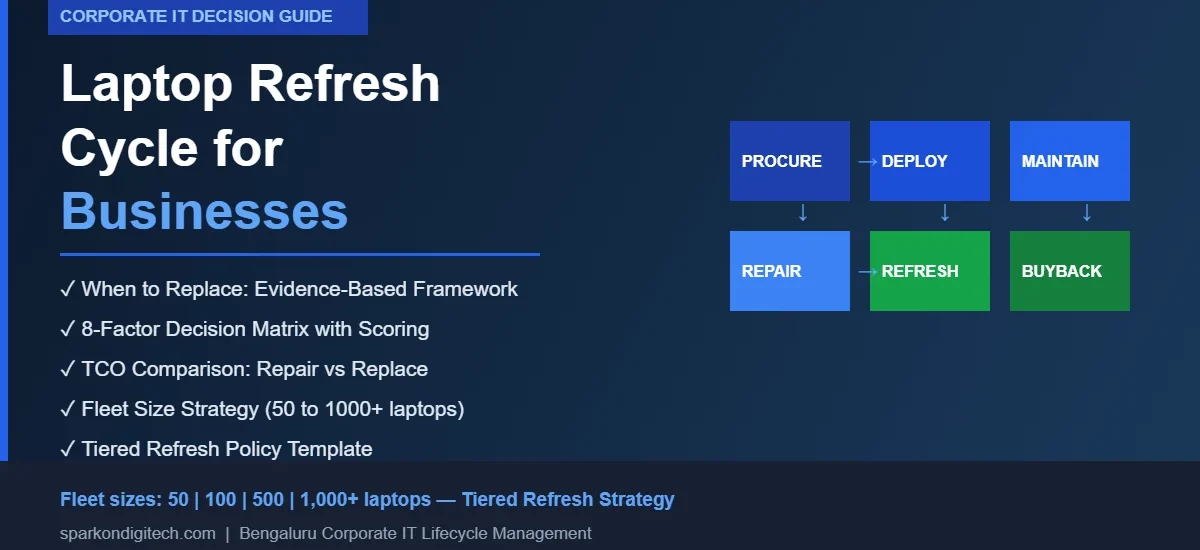
Corporate laptop fleets don’t age uniformly. A device purchased three years ago may still be performing well for an administrative user while a device of the same age is holding back a developer or data analyst. The decision to refresh a fleet — or to continue operating existing devices — should be driven by evidence rather than a calendar rule. This guide provides a structured framework for corporate IT and procurement teams to evaluate when fleet refresh makes operational and financial sense, how to prioritise which devices to replace first, and what to do with the devices that come out of service.
SparkonDigiTech provides corporate laptop supply in Bangalore. Call or WhatsApp +91 98451 41787 for a quote.
What Is a Corporate Laptop Refresh Cycle?
A laptop refresh cycle is the planned schedule by which an organisation systematically evaluates and replaces its laptop fleet. It is not simply “replacing every laptop after X years.” A well-designed refresh cycle is a policy framework that defines when devices should be reviewed, what triggers a replacement decision, how replacement is prioritised across different user groups, and how end-of-life devices are handled.
The distinction between a planned refresh and a reactive replacement matters significantly at scale. Reactive replacement — responding to each device failure individually — leads to unpredictable IT budgets, inconsistent fleet configurations, emergency procurement at unfavourable pricing, and unnecessary employee downtime. A planned refresh cycle makes hardware spend more predictable, allows procurement to be consolidated for better terms, and ensures employees receive capable devices before failures cause disruption.
Refresh does not always mean replacement with a new device. In some cases, refresh includes component upgrades (SSD, RAM), device reassignment to a lighter-use role, or return for corporate buyback. The goal of a refresh cycle is to ensure that every employee has a device that is fit for their current workload and will remain so for a defined period — not simply to buy new equipment on a schedule.
How Often Should a Business Replace Its Laptops?
There is no universally correct refresh interval. The commonly cited range of three to five years reflects the typical range across different workloads, device quality levels, and operational contexts — but this range is a starting point for evaluation, not a rule.
What matters is not how long the device has been owned, but whether it continues to meet the employee’s performance, security, and reliability requirements. A business-class device in a light-use environment with a strong maintenance history may remain fit for purpose at five or even six years. A consumer-grade device in a high-demand environment may begin creating productivity and reliability problems at two to three years.
The following framework helps organisations think about refresh intervals by user profile:
| User Profile | Typical Workload | Refresh Consideration |
|---|---|---|
| Developers, engineers, data analysts | Compilation, virtualisation, large datasets, multi-application | Earlier review — hardware demands grow faster than average |
| Designers, creative professionals | Graphics-intensive, video, CAD | Earlier review — GPU/CPU demands increase with software updates |
| Finance, operations, project management | Office, ERP, spreadsheets, reporting | Standard planned refresh window |
| Standard office / cloud-first users | Browser, email, collaboration tools | Standard planned refresh; longer lifecycle possible |
| Light-use / back-office | Basic data entry, single-application | Potentially longer lifecycle or reassigned devices from other groups |
| Field employees, remote workers | Variable; higher physical wear risk | Monitor wear and battery; higher failure risk in harsh environments |
| Business-critical / executive | Any — downtime cost is highest | Priority refresh; lowest tolerance for failure |
Each organisation should define its own refresh window for each user group based on actual performance data, failure history, and TCO — not competitor benchmarks or vendor recommendations alone.
10 Signs a Corporate Laptop Should Be Replaced
1. Increasing Repair Frequency
A device that has required one or two repairs across its lifetime is different from one that has needed multiple repairs within the past year. When repair frequency is increasing, it indicates that the device is approaching end of reliable operational life. Each repair buys shorter intervals of reliable service. The relevant metric is not total repair count but repair frequency trend: devices whose repair intervals are shortening should be flagged for replacement evaluation. Track this in your asset management system — without repair history records, this analysis cannot be done.
2. Repair Costs Approaching Replacement Economics
When the combined cost of a repair (parts + labour + employee downtime during the repair period) approaches or exceeds the residual cost of replacing the device after buyback/trade-in value, the repair decision becomes hard to justify. This calculation is more nuanced than comparing a repair invoice to a new device price — it should include the productivity cost of downtime, the risk of further failures, and the buyback value that would be recovered from a replaced device. For guidance on making this calculation, see our laptop repair vs replacement decision guide.
3. Performance Inadequate for Current Workloads
Business software requirements increase over >
Business software requirements increase over time. Applications that ran acceptably on a given device three years ago may now require more RAM, faster storage, or a more capable processor. If an employee’s device is creating friction — slow application load times, lag during meetings, inability to run required tools simultaneously — and no upgrade path (RAM, SSD) can resolve it, the device has reached functional end of life for that role, regardless of its physical condition.
What to check: processor generation vs software requirements, available RAM vs workload demands (most modern business environments require a minimum of 8GB, often 16GB for productivity users), storage type (mechanical drives in an SSD-era fleet create disproportionate performance problems).
4. Battery Degradation Affecting Usability
Battery health degrades with every charge cycle. By the time a business laptop reaches three to four years of active use, many batteries have lost enough capacity that the device can no longer support a working day without constant connection to power — effectively eliminating its portable functionality. For employees in meetings, travelling, or working in environments without constant power access, this is a real productivity constraint.
Battery replacement can resolve this if the device is otherwise suitable for continued use. If the device has other issues in addition to battery degradation, battery replacement alone is not sufficient justification to retain it. Check manufacturer battery health tools or OS battery health reports.
5. Operating System or Security Support Concerns
A device that cannot run a supported version of the operating system — because its hardware does not meet requirements, or because the OS version is past its support date — creates a security gap that cannot be resolved without replacement. Similarly, if a device cannot meet the endpoint security requirements of the organisation’s current IT policy (encryption, secure boot, management agent compatibility), it represents a compliance risk regardless of its physical condition.
What to check: OS version support timeline, hardware compatibility with the current required OS version, endpoint security agent compatibility.
6. RAM or Storage Insufficient for Current Requirements
Many devices purchased for roles that have since expanded in complexity no longer have sufficient RAM or fast-enough storage for the employee’s current workload. If RAM is socketed (not soldered), an upgrade may resolve this. If RAM is soldered, or if the device has other constraining hardware (processor, no NVMe support), the device may need to be replaced rather than upgraded. SSD replacement where a mechanical drive is installed can also substantially improve performance, but only if the rest of the device is suitable.
7. Repeated Downtime Creating Business Impact
Downtime has a cost that often exceeds the repair invoice. An employee unable to work, or working at reduced capacity on a temporary/loan device, represents a real productivity cost. For business-critical users, a single day of downtime can have significant operational impact. When a specific device has been responsible for multiple downtime events within a twelve-month period, that device’s continued operation in a business-critical role is difficult to justify economically.
8. Spare Parts Becoming Difficult or Impractical to Source
Once a laptop model exits the manufacturer’s active supply period, OEM spare parts become harder to source. The organisation must rely on compatible parts or used/pulled components with associated reliability and warranty limitations. When spare parts for a fleet segment become consistently difficult or slow to source, repairs become higher-risk and longer-lead, making the fleet more difficult to maintain. This is a signal to evaluate whether continued investment in maintaining those devices is the right approach, or whether fleet refresh should be accelerated for that segment. For context on spare-parts sourcing for corporate fleets, see our laptop spare-parts supplier selection guide.
9. Warranty Expiration Combined With Elevated Failure Risk
Manufacturer warranty typically covers three years for business-class devices (one year for consumer-grade). When warranty expires and a device is simultaneously showing signs of increased failure risk (age, repair history, battery condition), the organisation faces the full cost of any subsequent repair without coverage. This is an appropriate trigger point for a refresh evaluation — not automatic replacement, but a structured assessment of whether continued operation is the right financial decision.
10. Total Cost of Continued Ownership Exceeding Replacement
The final and most important signal: when a comprehensive total cost of ownership calculation — including projected repair costs, downtime cost, productivity impact, support overhead, and loss of buyback value over time — shows that replacing the device is more economical than continuing to operate it, replacement is the rational decision. This calculation should be done at the device level for ageing devices, not just at the time of failure. Devices approaching this point should be in the replacement pipeline before they fail.
Repair or Replace? Corporate Decision Framework
For individual device failures, the repair-versus-replacement decision should be made using a consistent evaluation framework rather than ad-hoc judgment. The following table summarises the key factors:
| Factor | Lean Repair | Lean Replace |
|---|---|---|
| Device age | Under 3 years, or business-class device under 4 years | Older device, consumer-grade, multiple repair history |
| Repair cost | Small fraction of replacement cost; isolated failure | Approaches or exceeds replacement cost adjusted for buyback |
| Failure frequency | First or second failure; isolated component | Multiple failures in past 12 months; increasing trend |
| Performance | Device meets workload requirements after repair | Device is already marginal or inadequate for role |
| Warranty/AMC | Repair covered under warranty or AMC | Out of warranty, uncovered, no AMC |
| Security | Device can run supported OS and security tools | OS unsupported or security policy non-compliant |
| Parts availability | OEM/compatible parts available, short lead time | Parts discontinued, unavailable, or long lead time |
| Employee productivity | Downtime risk is low; employee can wait | Business-critical role; downtime cost is high |
| Residual/buyback value | Device has significant value if replaced now | Value is declining; better to replace sooner |
| Long-term TCO | Repair extends useful life cost-effectively | Continued ownership costs exceed replacement cost |
For a detailed component-by-component breakdown of the repair vs replacement decision, see our corporate laptop repair vs replacement guide.
The Hidden Cost of Keeping Old Corporate Laptops
The most common mistake in laptop fleet management is evaluating device cost only at the point of purchase or repair. The actual cost of running an ageing laptop fleet accumulates across multiple dimensions that are rarely captured in a single budget line:
Employee productivity loss: Slow devices, application crashes, and frequent restarts cost measurable working time across a fleet. If 100 employees lose 15 minutes per day to device-related friction, that represents over 6,000 person-hours per year — a cost that does not appear in the IT budget but is very real to the business.
Increased IT support volume: Older devices generate more support tickets. IT teams spend disproportionate time on end-of-life devices relative to the number of employees those devices represent. This diverts IT resource from more productive work.
Unplanned downtime: Reactive replacements driven by unexpected failure are more expensive than planned replacements — emergency procurement often comes at higher cost, with less lead time for proper configuration and data migration.
Security exposure: Devices that cannot receive security patches, or that cannot meet current endpoint security requirements, represent organisational risk. The cost of a data breach or security incident involving an unmanaged old device is not captured in the device maintenance budget, but it is a real exposure.
Inconsistent fleet configurations: A fleet spanning multiple hardware generations creates support complexity, complicates imaging and deployment, and makes troubleshooting more difficult. Standardisation through planned refresh reduces this overhead.
Declining buyback value: Every month a device remains in service beyond its optimal refresh point, its residual value declines. A device worth ₹15,000 in buyback value today may be worth ₹8,000 in twelve months. Organisations that delay refresh lose this value offset against replacement cost.
Companies should not add invented figures to these calculations. Instead, track actual IT support ticket volume by device age cohort, measure actual repair costs per device, and compare the resulting per-device cost against the annualised cost of a new device minus buyback recovery. The data will typically support a proactive refresh decision for the oldest fleet segments.
How to Calculate Laptop Refresh TCO
Total cost of ownership is the correct basis for refresh decisions. The calculation should compare two paths: continued operation of the current device versus replacement now.
Current-Device Cost (per device, per year remaining)
Add the following expected costs for the remaining intended service period:
- Expected repair and parts costs (based on failure trend and device age)
- Expected IT labour for support and maintenance
- Productivity impact (downtime frequency × hours × employee cost per hour)
- Security risk premium (if device is approaching or past OS support)
- Declining buyback/residual value (loss of recovery value over time)
Replacement Cost (per device)
Add the following:
- New device purchase price
- Accessories (if required)
- IT deployment and configuration time
- Data migration time
- Subtract: buyback/trade-in value of the replaced device (now, not later)
- Subtract: productivity gain value (faster device, fewer failures)
If the total current-device cost over the remaining intended service period approaches or exceeds the net replacement cost, replacement is the more rational decision. Companies do not need to invent figures for this comparison — the inputs should come from their own asset and support records.
One important point: the buyback value of a replaced device is more valuable today than it will be in twelve or twenty-four months. Delaying replacement to defer cost is not always economically rational when declining residual value is included in the calculation. For companies managing fleet disposal and buyback, see SparkonDigitech’s corporate laptop buyback service.
Corporate Laptop Refresh Decision Matrix
IT managers can use a simple scoring model to prioritise which devices to replace first. Score each device against the following factors. Devices with the highest total scores should be prioritised in the refresh plan.
| Factor | Low Risk (1 point) | Medium Risk (2 points) | High Risk (3 points) |
|---|---|---|---|
| Device age | Under 3 years | 3–4 years | 5+ years |
| Repair history | 0–1 repairs | 2 repairs | 3+ repairs or increasing frequency |
| Downtime (past 12 months) | None or minimal | 1–2 downtime events | 3+ downtime events |
| Performance vs workload | Fully adequate | Marginal but functional | Inadequate; productivity affected |
| Security/OS status | Fully supported, patched | Approaching end of support | Unsupported or non-compliant |
| Warranty/AMC coverage | Active coverage | Expired within past year | Expired 2+ years ago |
| Parts availability | OEM parts readily available | Compatible parts available | Parts difficult or unavailable |
| Employee business impact | Low criticality role | Moderate criticality | High criticality / business-critical |
Scoring guide: 8–12 points: monitor; schedule for next planned refresh cycle. 13–18 points: evaluate for near-term replacement; add to current refresh plan. 19–24 points: prioritise for immediate replacement; device is creating unacceptable operational risk.
This is a prioritisation tool, not an automatic replacement trigger. IT judgment should be applied — a device scoring 20 points in a low-criticality role may still be lower priority than a device scoring 15 points held by a business-critical user.
Should Every Employee Get a New Laptop at the Same Time?
No — and attempting to do so is one of the most common mistakes in fleet refresh planning. A company that replaces every device on the same schedule will face: a large capital outlay at a single point, simultaneous retirement of all fleet value, a compressed deployment window that strains IT capacity, and devices that are being replaced when still fit for purpose.
A tiered refresh strategy avoids these problems by prioritising replacement based on user criticality, device condition, and role requirements:
- Tier 1 — priority replacement: Developers, engineers, data analysts, designers, business-critical executives, field employees in high-wear environments. These users place the highest demands on hardware and have the lowest tolerance for performance limitations or downtime.
- Tier 2 — standard refresh: Finance, operations, HR, project management, sales — standard business application users who benefit from capable hardware but whose workloads are less demanding than Tier 1.
- Tier 3 — extended lifecycle candidates: Light-use administrative roles, back-office single-application users, secondary employees. These users may receive devices reassigned from Tier 1 or Tier 2 refresh cycles rather than new purchases.
A tiered approach allows the organisation to distribute refresh cost across multiple budget periods, maintain a predictable refresh programme, and ensure that the highest-impact users always have the most capable devices.
Refresh Strategy by Fleet Size
| Fleet Size | Recommended Management Approach |
|---|---|
| Up to 50 laptops | Maintain a basic asset register with device age, warranty status, and repair history per device. Identify a preferred repair partner and spare-parts supplier. Evaluate each device individually at refresh trigger points. Plan refresh in small batches rather than all-at-once. |
| 50–100 laptops | Establish a formal refresh policy with defined evaluation criteria. Segment fleet by device age and user tier. Maintain a repair history per device. Build a small spare pool for loan devices during repairs. Consider AMC coverage for higher-criticality devices. Plan procurement at least one quarter ahead. |
| 100–500 laptops | Fleet-level lifecycle planning with asset management tooling. Track failure rates by device model and age cohort. Plan replacement in annual or semi-annual batches. Maintain a standardised spare pool. Coordinate data migration and deployment as a programme. Evaluate bulk procurement or refresh-cycle contracts. Implement structured buyback/disposal for outgoing devices. |
| 500+ laptops | Formalised refresh programme integrated with annual IT budget. Standardised device configurations by role category. Asset management system with lifecycle tracking. Multi-location logistics for collection and deployment. Dedicated procurement and disposal partnerships. AMC framework for fleet. Continuous monitoring by device health telemetry. |
For detailed guidance on spare-parts procurement by fleet size, see our laptop spare-parts procurement guide for corporate fleets.
How to Create a Corporate Laptop Replacement Policy
A corporate laptop replacement policy removes ad-hoc decision-making from the refresh process. The following is an example framework — organisations should adapt it to their own operational requirements, device inventory, and budget structure.
Note: This is an example policy framework for reference purposes. Organisations should develop and review their own policies with appropriate internal stakeholders.
- Standard lifecycle review: Every device to be formally reviewed at [define: e.g., 3-year and 4-year points] against performance, security, repair history, and workload criteria.
- Replacement triggers: Replacement to be evaluated when any of the following occur: OS becomes unsupported, repair count exceeds [define threshold] within 12 months, performance assessment confirms inadequacy for current role, repair cost estimate exceeds [define threshold] of replacement cost net of buyback.
- Role-based device categories: Define device tiers (e.g., performance, standard, light-use) with specifications and target refresh intervals for each.
- Warranty policy: All devices to be procured with minimum [define] warranty. Extended warranty or AMC to be evaluated for Tier 1 devices.
- Repair approval threshold: Repairs up to [define] to be approved at IT manager level. Above threshold requires procurement/finance approval and TCO comparison.
- Security compliance: No device to remain in active service if it cannot receive OS security updates or meet current endpoint security policy requirements.
- Procurement process: Refresh procurement to be consolidated and planned [define: quarterly/annually]. Emergency replacements to be documented with reason.
- Asset tracking: All devices to be recorded in the asset management system with purchase date, warranty expiry, assigned user, repair history, and current status.
- Data migration: All employee data to be migrated to a backup/new device before old device is collected. Migration to be verified before device handover.
- Old device return: All replaced devices to be returned to IT within [define: e.g., 5 working days] of replacement. No personal data to remain on returned devices.
- Buyback/disposal: Returned devices to be evaluated for reassignment, refurbishment, or corporate buyback/disposal within [define] days. Residual value to be captured where possible.
- Policy review: This policy to be reviewed annually and updated to reflect changes in device lifecycle, security requirements, and organisational needs.
What Should Companies Do With Old Laptops After a Refresh?
End-of-life device handling is the stage that most organisations manage least well. Replaced devices accumulate in storage rooms, losing value and creating data-security obligations. A structured approach to outgoing devices should be part of every refresh plan from the outset.
Internal reassignment: Devices that are no longer suitable for their current user may be entirely suitable for a lighter-use role. A developer’s three-year-old device, replaced as part of a Tier 1 refresh, may serve an administrative user for another two years. This extends fleet value without additional cost.
Refurbishment and redeployment: For companies with a secondary workforce (contract staff, temporary employees, training environments), refurbished devices from the primary fleet can fill these needs cost-effectively.
Corporate laptop buyback: Devices that are no longer suitable for any internal use should be retired through a corporate buyback programme. This recovers residual value, handles collection, and ensures proper data security during the disposal process. SparkonDigitech provides corporate laptop buyback and IT asset disposal for companies in Bengaluru. For the full guide to end-of-life device management, see our IT asset disposal guide.
Secure data handling: Every device that leaves employee use must have its data handled appropriately before collection or disposal. What this requires depends on the sensitivity of the data and the organisation’s data governance policy — the responsible approach is to ensure data is addressed before the device leaves IT control, not after.
How Spare Parts and AMC Fit Into a Refresh Strategy
Spare-parts procurement and AMC coverage are tools for extending the useful operational life of devices — not alternatives to a refresh strategy. They work best when they are part of a coordinated lifecycle plan that also includes defined refresh triggers and a clear end-of-life process.
Used correctly:
- AMC coverage provides predictable repair costs and faster response for devices that are still within their intended useful life. It is most cost-effective for devices in the early-to-mid lifecycle stage. For companies evaluating AMC options, see our laptop AMC services guide.
- Component replacement (battery, SSD, display) can extend device life cost-effectively when the device is otherwise suitable and the failure is isolated. For OEM vs compatible part evaluation, see our OEM vs compatible laptop spare parts guide.
- Repair makes sense when the device has remaining useful life and repair cost is proportionate. When repair frequency is increasing or the device is approaching end of life, repair investment should be weighed against replacement.
The decision framework is: AMC and spare parts extend life cost-effectively during the device’s serviceable years. As a device approaches the end of those years, the economic case for continued investment weakens relative to replacement. Refresh planning should account for this transition.
Refurbished vs New Laptops During a Corporate Refresh
Refurbished equipment can play a legitimate role in a corporate refresh strategy when deployed appropriately. The key is matching the device’s remaining useful life and specification to the intended use case:
- Secondary / light-use workforce: Refurbished business-class devices are often suitable for lower-demand roles, particularly where the employee primarily uses cloud-based or browser applications.
- Temporary or contract workforce: Providing refurbished devices for temporary employees who will use them for a defined short period is a cost-effective approach, provided the devices are properly configured and managed.
- Backup and spare pool: A pool of refurbished devices for use as loan devices during repairs avoids the need to procure emergency replacements. The spare pool can be refreshed as refurbished devices age out.
- Training and test environments: Where performance is not critical and configuration flexibility is needed, refurbished devices are often sufficient.
>
Refurbished equipment is not always lower cost when total lifecycle factors are considered. Verify warranty coverage, remaining useful life, and condition category carefully before purchasing. For a wider audience of primary business users — particularly in performance-sensitive roles — purpose-procured business-class devices with full warranty remain the appropriate choice.
Corporate Laptop Refresh in Bangalore and Bengaluru
Companies operating in Bengaluru — from established IT services firms and GCCs to rapidly-growing startups and mid-market enterprises — manage laptop fleets across a wide range of environments and organisational contexts. Several considerations are particularly relevant for Bengaluru-based IT teams planning a fleet refresh:
Multi-office and hybrid fleets: Many Bengaluru-based companies operate across multiple offices or manage hybrid workforces with a mix of office-based and remote employees. A refresh plan needs to account for device collection and deployment logistics across these locations, not just a single office point.
GCC and large enterprise fleets: Global capability centres operating in Bengaluru often manage large, standardised fleets with centralised IT governance. Refresh planning in these environments requires coordinating with global IT policies while addressing local procurement, support, and disposal requirements.
Startup and growth-stage companies: Companies in rapid growth phases often have heterogeneous fleets — devices purchased at different times, from different sources, in different configurations. A refresh is often also an opportunity to standardise the fleet and establish a forward-looking asset management process.
Local repair and spare-parts support: For Bengaluru-based companies, access to corporate laptop repair services and spare-parts supply locally can reduce downtime during the repair-versus-refresh evaluation period. SparkonDigitech provides corporate laptop repair services and spare-parts supply for companies in Bengaluru.
Old-device handling: For companies in Bengaluru completing a fleet refresh, SparkonDigitech can support the assessment, collection, and corporate buyback of end-of-life devices. Contact us to discuss your fleet’s specific requirements.
Corporate Laptop Refresh Checklist
Use this checklist when planning and executing a corporate laptop refresh:
- ☐ Export current asset list with device age, model, assigned user, and warranty status
- ☐ Identify device age distribution across the fleet
- ☐ Check warranty and AMC status for each device in scope
- ☐ Pull repair history per device from asset/support records
- ☐ Review downtime incidents per device (past 12 months)
- ☐ Check performance and battery health (OS tools or management platform)
- ☐ Verify OS support status and endpoint security compliance for each device
- ☐ Check spare-parts availability for older models in fleet
- ☐ Calculate repair vs replacement TCO for devices above risk threshold
- ☐ Score devices using the refresh decision matrix
- ☐ Identify priority users and assign to refresh tiers
- ☐ Prepare procurement plan with specifications for each tier
- ☐ Confirm data migration process and verify backup before each replacement
- ☐ Plan old-device collection schedule
- ☐ Evaluate old devices for reassignment, refurbishment, or buyback/disposal
- ☐ Update asset register with new devices and disposition of replaced devices
Frequently Asked Questions
Q: How often should companies replace their laptops?
There is no single correct interval. Most organisations review devices in the range of three to five years, but the right timing depends on workload, device quality, repair history, performance adequacy, and security compliance. High-demand users (developers, designers) typically need earlier review; light-use administrative staff may remain on devices for longer. Evaluate each device or user-group cohort based on actual condition and TCO rather than calendar age.
Q: What is a laptop refresh cycle?
A laptop refresh cycle is the planned policy and process by which an organisation systematically evaluates and replaces its laptop fleet. It defines when devices should be reviewed, what triggers a replacement decision, how replacement is prioritised across user groups, and how outgoing devices are handled. A refresh cycle is distinguished from reactive replacement (replacing devices only when they fail) by its planned, proactive nature.
Q: Is three years too short for a business laptop replacement cycle?
Not necessarily, but it depends on the user’s workload and device quality. For high-performance users (developers, data professionals) on consumer-grade hardware, three years may be appropriate. For standard office users on business-class devices, three years may be earlier than required. The refresh decision should be based on device condition and TCO, not a fixed timeline. A blanket three-year rule may accelerate replacement of devices that still have useful life remaining.
Q: Can companies extend laptop life beyond four years?
Yes, in appropriate circumstances. A well-maintained business-class device used in a light-to-moderate workload environment may remain fit for purpose at four or five years. The critical conditions are: the device must be able to run a supported OS and meet current security requirements, performance must be adequate for the employee’s current workload, and repair cost/frequency must be acceptable. If any of these conditions fails, extension beyond four years is likely creating hidden costs that outweigh the capital saved.
Q: When is laptop repair better than replacement?
Repair is generally better when the failure is isolated to a single replaceable component, the device is otherwise performing well, the device has significant remaining useful life, parts are available, and the repair cost is a small fraction of replacement cost net of buyback value. For a detailed breakdown, see our laptop repair vs replacement guide.
Q: How do companies calculate laptop replacement cost?
The correct comparison is total cost of ownership: for continued operation, add expected repair costs, IT support overhead, downtime/productivity cost, and declining buyback value over the intended remaining period. For replacement, add new device cost plus deployment cost, then subtract the current buyback/trade-in value of the replaced device. If continued operation TCO approaches or exceeds net replacement cost, replacement is the more rational decision.
Q: Should all employees receive new laptops at the same time?
No. A tiered refresh strategy — prioritising high-demand and business-critical users, followed by standard users, with light-use staff potentially receiving reassigned devices — distributes cost across budget periods, avoids a compressed deployment window, and ensures the most capable devices go to employees who need them most. Replacing all devices simultaneously is generally inefficient and financially suboptimal.
Q: What should companies do with old laptops after a refresh?
Options include: internal reassignment to lighter-use roles, use as loan/spare devices, refurbishment for secondary users, and corporate laptop buyback or IT asset disposal. Devices should not be stockpiled — they lose value over time and carry data-security obligations. A structured end-of-life process should be part of every refresh plan. For buyback options, see SparkonDigitech’s corporate laptop buyback service.
Q: Can refurbished laptops be used in corporate fleets?
Yes, in appropriate roles. Refurbished business-class devices can be suitable for light-use employees, temporary staff, training environments, and spare pools. They are generally not appropriate as primary devices for high-demand users. Verify warranty coverage, condition category, remaining useful life, and configuration before procuring refurbished devices for corporate use.
Q: How does AMC affect laptop replacement decisions?
AMC (Annual Maintenance Contract) provides predictable repair costs, faster response times, and sometimes loan device provision — which changes the economics of continuing to operate a device versus replacing it. Under AMC, the downtime cost of repair is reduced, making the repair option more attractive for devices still within their useful life. As devices approach end of life, the value of AMC declines because the frequency of issues increases regardless of coverage. See our laptop AMC services guide for what corporate AMC typically covers.
Q: How can companies reduce laptop replacement costs?
Key strategies: consolidate procurement to negotiate better terms; use tiered refresh (not uniform replacement); extend device life where genuinely cost-effective; capture buyback/residual value from replaced devices; use AMC and preventive maintenance to reduce failure rates; standardise fleet configurations to reduce support overhead; and plan replacement proactively rather than reactively (emergency procurement is typically more expensive).
Q: What is the best laptop refresh strategy for a 100+ employee company?
For a fleet of this size: maintain a device asset register with age, repair history, and performance data; segment the fleet by user tier (performance, standard, light-use); plan annual or semi-annual refresh batches prioritised by the decision matrix; maintain a small spare pool for loan devices; coordinate with a preferred procurement and spare-parts partner; and implement a structured end-of-life process for outgoing devices including buyback where applicable.
Q: How should companies handle lease-expired laptops?
At lease expiry, evaluate each device using the refresh decision matrix. Devices that are otherwise functional and meeting performance/security requirements may be candidates for purchase (at residual value) and continued operation. Devices that are approaching end of useful life should be returned, disposed of, or sold through a corporate buyback programme. Do not automatically renew operation of lease-expired devices without a structured evaluation — the end of a lease is a natural refresh trigger point.
Q: What should an IT manager check before approving a fleet refresh?
Before approving a refresh: confirm the asset register is current and complete; review repair history and failure rates by device cohort; run the refresh decision matrix for devices in scope; calculate TCO comparison for borderline devices; confirm procurement specifications for each user tier; verify the data migration and backup process; confirm the old-device collection and disposal plan (including buyback valuation); and align with finance on budget timing and phasing.
Planning a Corporate Laptop Fleet Refresh?
SparkonDigitech works with corporate IT and procurement teams in Bengaluru on laptop fleet procurement, repair, spare-parts supply, AMC, and end-of-life device buyback. Whether you are evaluating a partial refresh, planning a full fleet replacement, or looking for local support for ongoing fleet maintenance, contact us to discuss your requirements.
Phone: +91 98451 41787 | Email: sales@sparkondigitech.com
696, 4th Main Rd, BEML Layout, 5th Stage, Rajarajeshwari Nagar, Bengaluru – 560098
Need help with this for your company? See our corporate laptop supply in Bangalore page, or call +91 98451 41787 (Mon–Sat, 10 AM–7 PM).